Looking Outwards 2: Processing (HC)

One I admire:

dirty venation #4

The design looks really amazing and clean, almost like a mix between architecture, geometry and the veins of a leaf. [dirty venation #4 by Yukio Minobe]

One I was surprised by:

The concept of a sound sculpture was not what I had imagined in my mind, and it was pleasant and inspiring and almost mesmerizing to watch. The editing and camerawork was also well done, a step up from bland showcase videos. [unnamed soundsculpture by Daniel Franke & Cedric Kiefer: http://www.onformative.com/work/unnamed-soundsculpture/]

One I thought missed an opportunity:

Although the video was impressively done (and was all of the 3D done in Processing? I feel that most of the text/designs were done with After Effects though), the disappointing part was the world Genesis, so simply made, with simple trees and a few houses on the world. It was a bit dissapointing and a let down, i feel they could have designed a much cooler planet instead of something that looks like a christmas commercial.
Hizal’s IFTTT recipes and blog post

My recipes, half functional half personal, are two so far:

One saves my iPhone’s camera roll photos to my  dropbox as I take them, the other alerts me when my girlfriend makes a post on Instagram (so that I can like her picture, otherwise I’m in trouble lol).

I think IFTTT is a wonderful idea that I never knew existed before and wish I did know. The concept of it, the way it helps ease day-to-day activities, actions and mundane tasks. I created the photo to dropbox thing because I want my photos to instantly be on my computer after I take them, without having to plug them in. As for Campbell’s formula, I think it’s pretty accurate. Most computer art, if it’s not programmed using only computational statements and random generators, its using variable input data, and nothing screams varying data than nature and the world. Temperature, sound, etc are all variable and the perfect data to manipulate into visual elements.

IFTTT

So the IFTTT recipe I made is one of a pair:

Recipe 1: If new photo by [my Instagram] is tagged #natdraws, then create a photo post on [my tumblr account].

Recipe 2: If new photo by [my Instagram] is tagged #natdraws, then post a tweet with the image to @Natroze [my twitter].

The intent was supposed to be that every time I Instagram a doodle or sketch that I’ve done, it gets cross-posted to my tumblr and twitter so I don’t have to waste time making three separate posts. I like its convenience, but in the case of tumblr I have to go in anyway and add more tags to the photo post, so it’s also kind of difficult.

My thoughts on all of this are pretty much that, while IFTTT is a really good idea, and I can see how it’s incredibly useful in some cases (for example, some of the recipes you can make will give you iOS alerts if the weather forecast changes). However, at least for my personal use, it lacks a lot of options that I’d like to implement in order to make my life easier. As far as my thoughts on the “Formula for Computer Art,” I like the concept of using computer art to demonstrate how computer art is made, but I feel like it’s kind of difficult to read due to the constant movement and the sideways panels, and the fact that it’s not easy to read makes it feel less productive and provocative than I think it’s intended to be.

Interesting tweet

https://twitter.com/cubewatermelon/status/505254539721601024?refsrc=email

So this tweet really caught my attention for a variety of reasons. It’s a really interesting existential question, first of all, and it brings up a lot of really interesting thoughts (at least to me) about how we as a human race would be completely different if we had something like this at our disposal. We’d either be a lot more careful or a lot more reckless.

The other main reason it caught my attention is because I follow the author of the tweet because she writes a webcomic I follow, and since I’m an aspiring webcomic creator I like insights into other comic artists’ though processes and ideas. This feels like a fantastic idea for a narrative of some kind, and that’s really interesting to me.

Instructional Drawing: Inactive Time

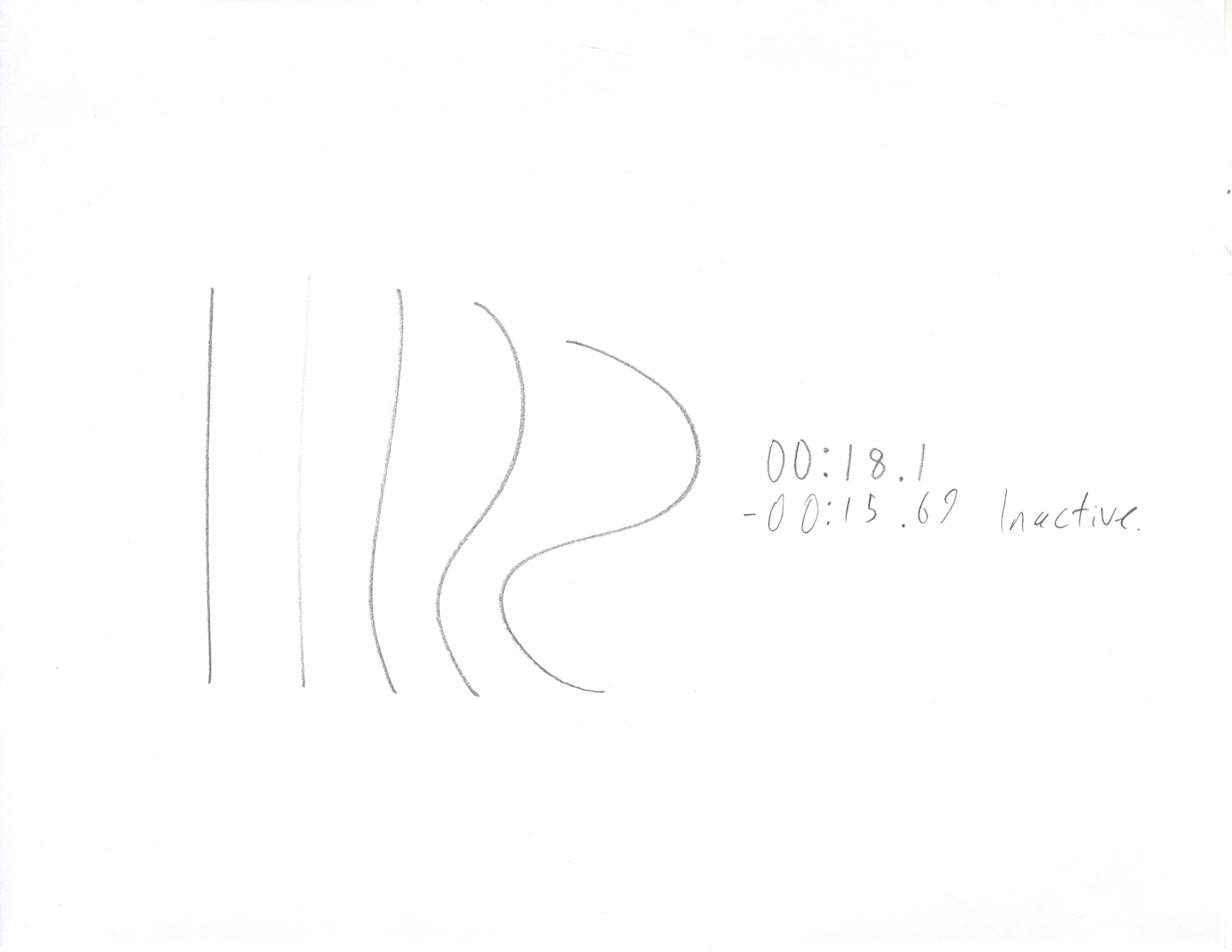
My instructional drawing was playing primarily with time spent not drawing. My subjects were given this set of instructions

  1. Acquire a Timer
  2. Start Timer
  3. Draw A Line
  4. Draw A Line
  5. Draw A Line
  6. Draw A Line
  7. Draw A Line
  8. Stop Timer
  9. Write Time Shown on Timer on Paper

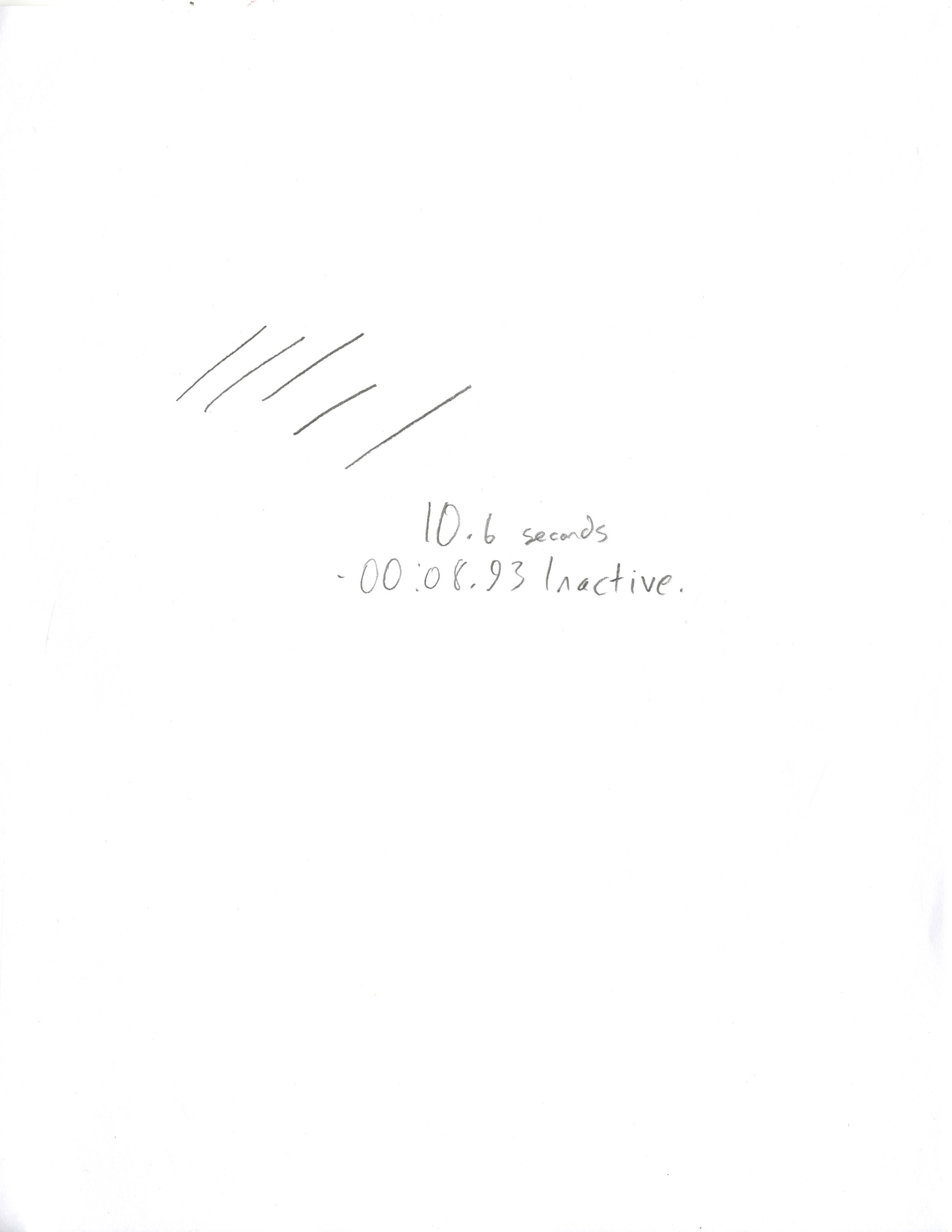
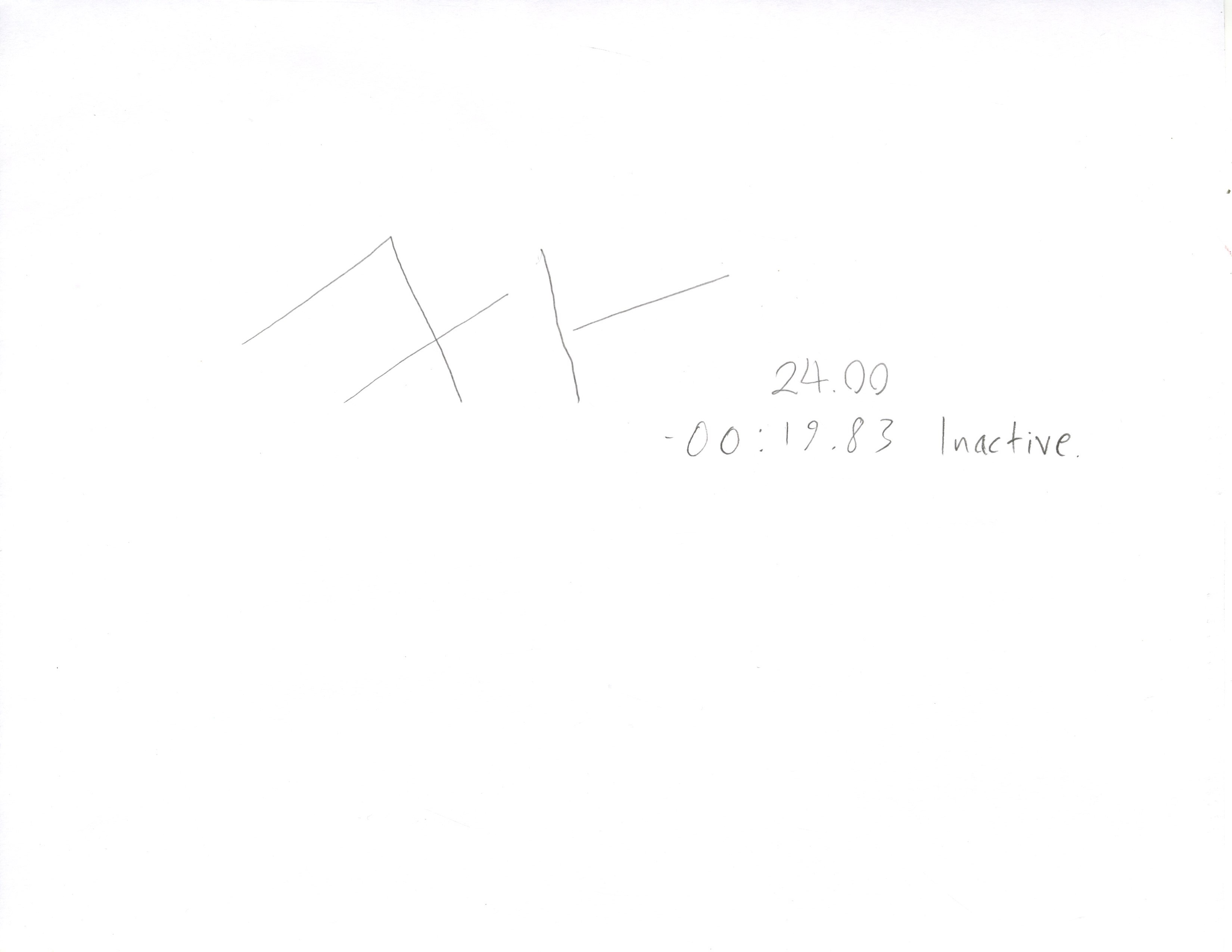
While they performed these instructions, I timed the sum total of how long their pencil was in contact with the paper. I used their time and mine to calculate the total time spent not drawing, which I inserted into their drawings below their own times.

img002

img003 img004


I was quite surprised by how much variance there was in timing, and how differently people approached the issue of being told to simply draw a line 5 times.  Some consider the lines as individuals, and these take longer than those who simply take them as a set to be swiftly finished.

Nathalie- Looking Outwards # 2

One project that surprised you (why?),

A project I admire is called “The Creators.” (http://www.thecreators.tv/concept.html) By being in the same space as the installation the viewer is already inadvertently influencing the audio and visual effects of it, and then the viewer is also able to make physical contact with the installation to consciously alter the sounds and visuals via touch.

THE CREATORS || Audio-reactive touch application from Dorids on Vimeo.

I really enjoyed how self-aware of a project it seemed to be, even if I wasn’t overly impressed with the results. The fact that it’s an interactive project about interactivity as a concept is really cool to me.

I was really surprised by the “Understanding Shakespeare” project by Stephan Thiel (http://www.understanding-shakespeare.com/about.html), mainly because I often don’t ever think to associate Shakespeare and programming, or in fact digital anything. The project aims to introduce a new and innovative way of looking at Shakespeare’s works, so as to better understand them. As a massive Shakespeare nerd, I really appreciate projects like this existing, because it makes Shakespeare’s works more accessible to people who wouldn’t be as interested in them otherwise.

One project I think missed an opportunity is the “City Symphonies” project by Mark McKeague (http://markmckeague.com/work/city-symphonies/). It’s a really interesting concept, which uses the roads as musical staves and the cars as the notes moving on them to create music. While interesting as a concept, I can’t see any practical application of it, and also the video demonstration of it wasn’t particularly interesting to watch or listen to. Possibly it’s just the presentation thereof but I feel like the project missed the opportunity to make something really “symphonic,” whereas what actually happened sounded more like dial-up startup sounds to me.

City Symphonies – Westminster from Mark McKeague on Vimeo.

Sol Lewitt’s Trapezium

Trapezium

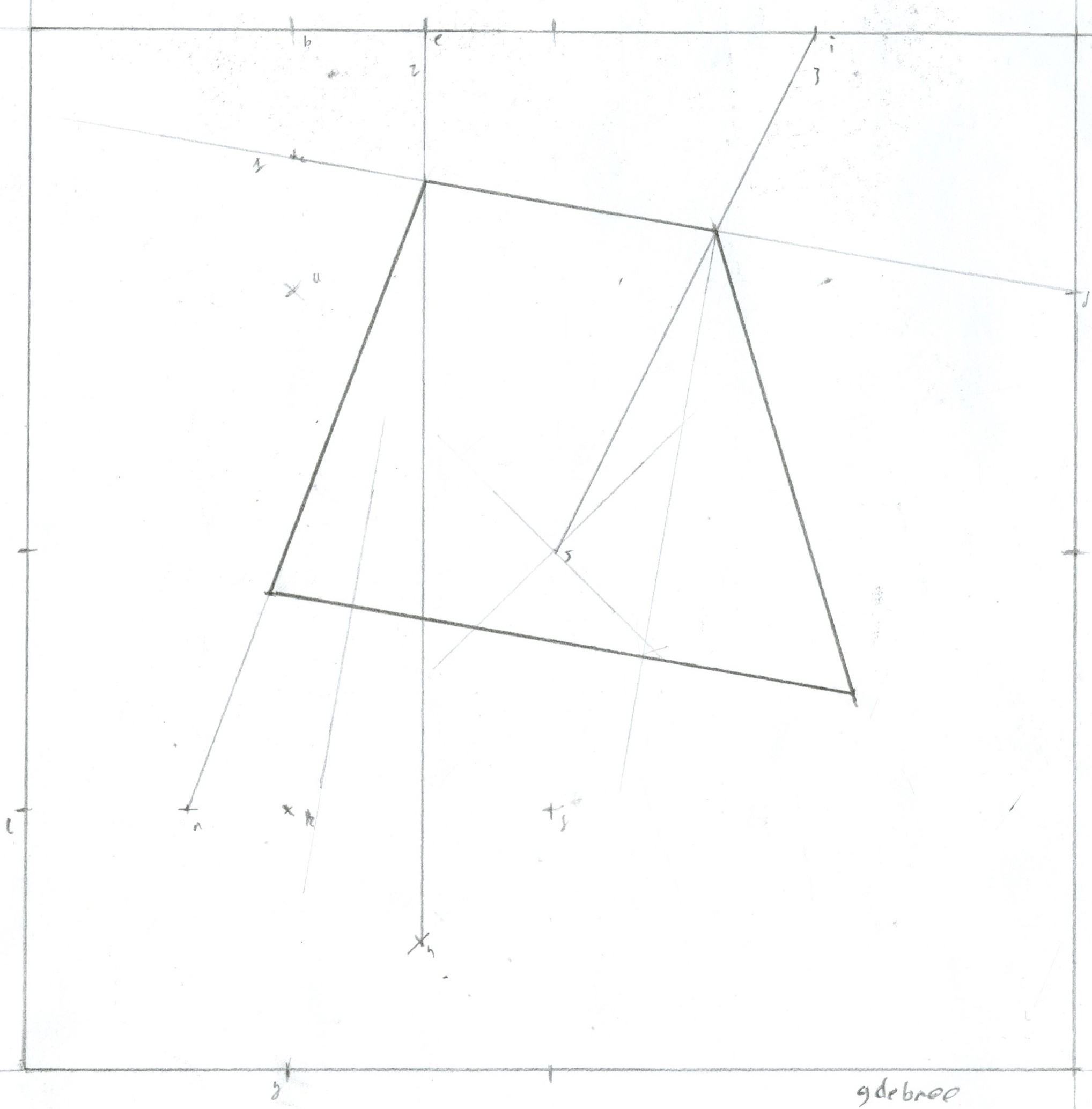
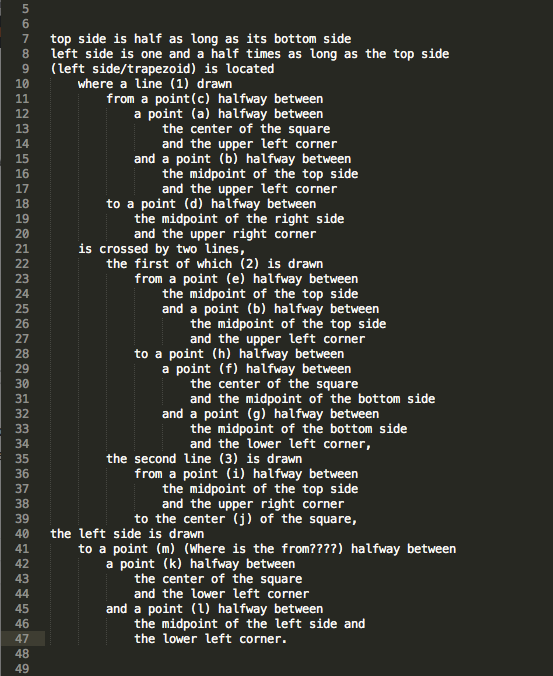
These are called trapeziums in my homeland. As a result I shall call them that, Lewitt be damned. Also, I’ve included my solution so that the annotations on the drawing make some more  sense:

Screen Shot 2014-09-03 at 13.14.56

The drawing is an interesting concept in itself, and the idea of man as machine is very clearly presented here. I am most interested in one particular element of the instructions. It’s a comma:

“…the upper right corner to the center of the square, the left side is drawn to a point halfway between…”

Lewitt is bending the doctrine of our language as far as he can, but all of his bending is permissible except for this. This comma, by all rules of the English language, should be a full stop. He clearly decided he wanted the instructions to be one sentence, but in doing this he makes his instructions totally insensible, and breaks the principle of ‘program’ instructions.

The real question is wether this ‘bug’ was intentional, because it alone differentiates the human from the computer by forcing us to interpret creatively. Either way, it brings something completely new to the instructions, and I think the piece is better for it.


IFTTT

The article “Art and the API” by Jer Thorp describes an API (Application Programming Interface) as a conduit or a connection which can bridge or transform data from one source to some other place.

IFTTT provides a service or system where you select two API’s and connect them with some simple rules. I like the simplicity of the idea and that it can expand into a large system where you could possibly have all your social feeds documented in a google doc.

The two are comparable in that IFTTT is a work that just bridges connections between APIs.

My formula adds the name and information of any new follower on twitter to a google doc.