Looking Outward #2 Firewall!

https://vimeo.com/54882144

I truly admire this project as it creates such an unnatural and new experience to its user. Its beautiful in appearance and the inclusion of music makes the very technical artwork more organic. Its simple and really effective in creating emotion or interest.

This project surprised me. I’m very interested in text and fonts and how we view different texts and fonts. This piece allows the user to edit text and though this seems so simple its extremely interesting when applied to names or brands that utilize specific fonts and seeing them change under the users influence causes a weird uneasiness for me. When the iconic TIME magazine header came up I felt oddly disturbed when it began to resemble nike’s font.

This whiskey company went for sophisticated and concept but to me failed to hit the mark. In this video the artist tries to convey the sense of smell but all I really see is smoke and glittery, unidentifiable liquids. Its aesthetically pleasing but fails to engage sent. I think five gum did a better job visually representing senses in their commercials.

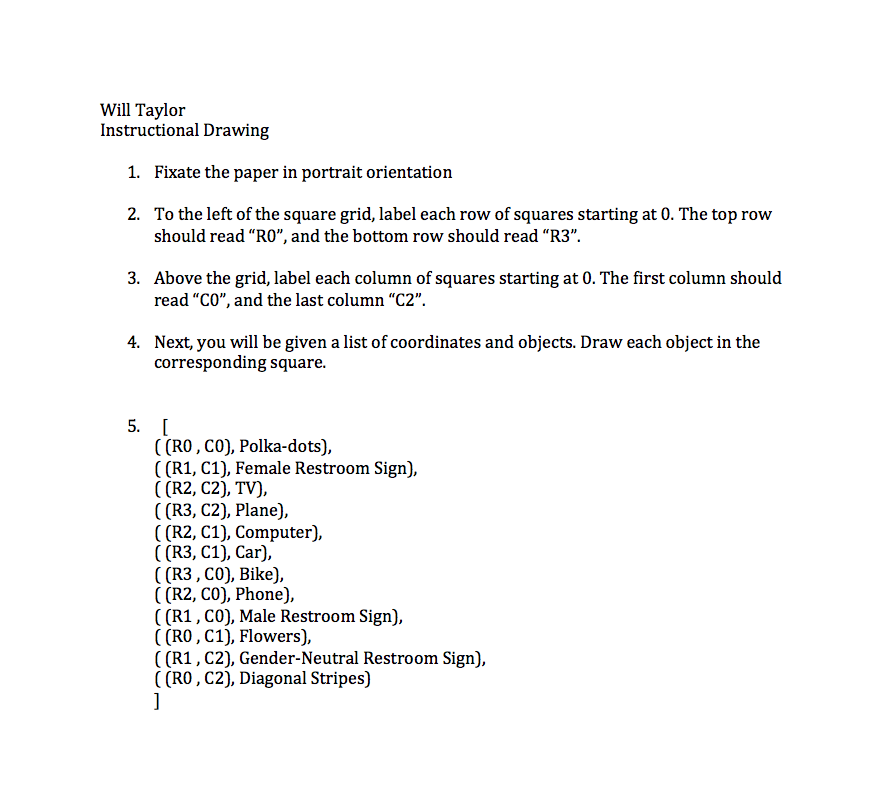
WT Instructional Drawing

Screen Shot 2014-09-03 at 4.45.27 PMEMS Instr1EMS Instr 3EMS instr 2


One thing that interested me during the creation of the instructions was what people would draw when I asked them to draw technology. Would they draw flatscreen TV’s? Cellphones or telephones? Laptops or desktops? Another thing that interested me was what people would put for Gender neutral bathroom signs.

If I had to improve one thing, I would have created more rows and columns and asked more people to partake in the instructional drawing. I think it’d be really cool to see the different illustrations over a large group, while taking gender, age, and socioeconomic status into account.

Instructional Drawing

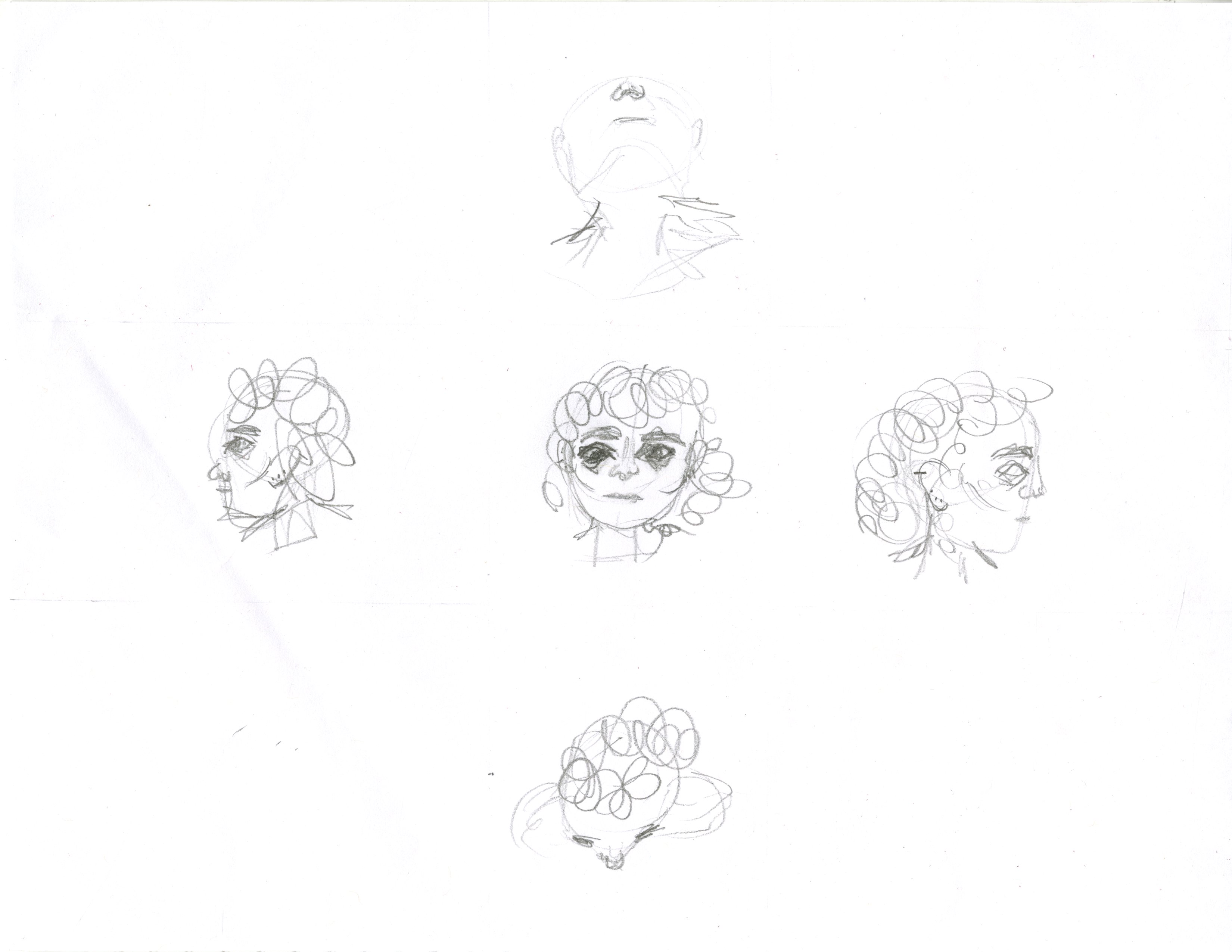
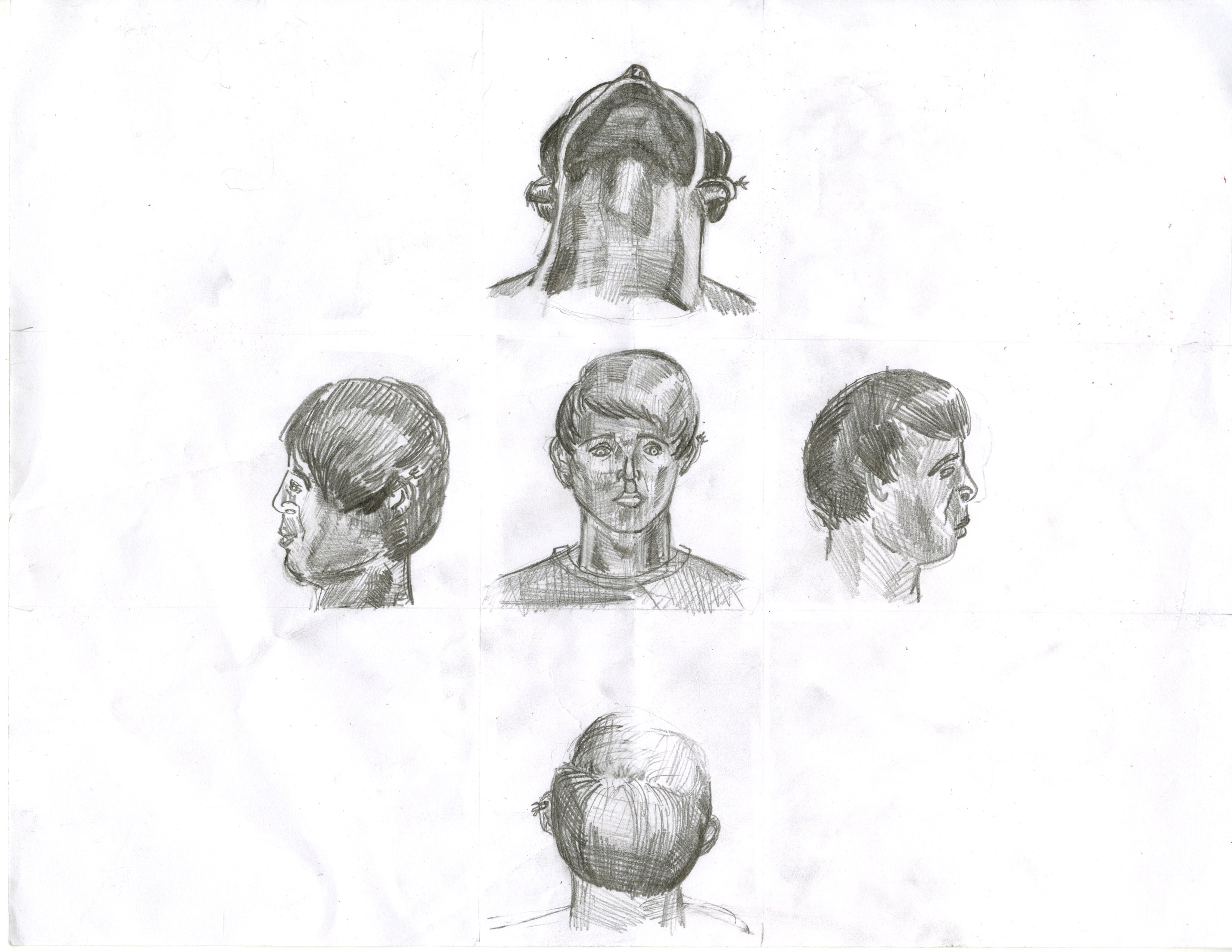
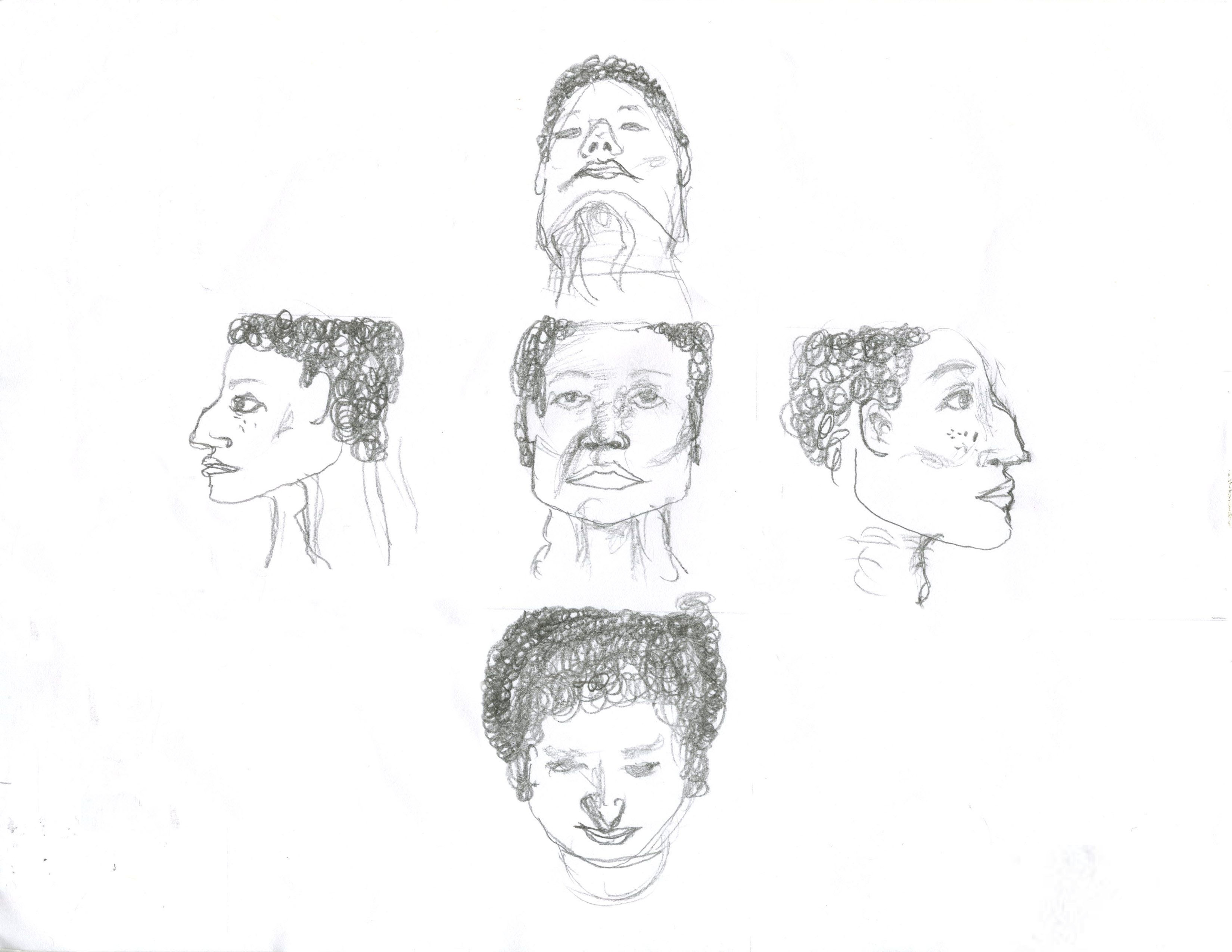
Drawing Five Heads

Setup:

-Hold your paper landscape style.

-Draw two vertical lines down the entire paper measuring 4.25 inches in and 6.75 inches in.

-Draw horizontal lines going across the entire paper measuring 3 inches down and 5.5 inches down.

-Draw within the cross you’ve created.

-On a computer search for images of head proportions, have this in front of you.


Before you start:

-There is going to be a head in the center of the cross.

-There will be two heads on the side of that head facing outwards, both in the center of the space on each side.

-There will be a head viewed from beneath at the top of the cross and a head viewed from above at the bottom of the cross. The heads should be tilted enough that they fit in the space.

-Each head should take up as much space as possible without drawing outside of the lines.

-The heads include their necks.

-You can start with any head.

-Each head is the same person.

-Each head should be consistent with the rest of the heads.


Drawing the Heads:

-You cannot choose family when choosing models, you can choose celebrities, and you can look up pictures for reference.

-Imagine someone that you have looked up to at some point in your life.  Give the heads their jawline.

-Imagine someone who looked up to you in your life. Give the heads their hair.

-Imagine someone who you can always laugh with. Give the heads their ears along with any piercings.

-Imagine someone that has hurt you in your life, with or without meaning to. Give the heads their lips.

-Imagine someone who has helped you in your life, or someone who coached you. Give the heads their nose and all the marks or freckles in the middle of the face.

-Imagine someone you are or once were in love with. Give the heads their eyes, eyebrows and any wrinkles or marks around their eyes and forehead.

-Imagine someone you used to be really close to. Give the heads their cheeks and cheekbones, along with any skin blemishes or makeup.

-Imagine someone who is lost in life. Give the heads their neck and any jewelry they wear.

-Erase lines drawn in setup

img002

img002

img001

Thank you (in order) David Gordon, anonymous, and Will Taylor for the drawings.

I liked that people enjoyed drawing my instructional drawing, I’ve got feedback that was: “It made me think about people I haven’t thought about in a long time” The interactions between the drawing are strong. These incredibly personal portraits of people are looking at each other whether you stack the drawings vertically or horizontally. I should have never asked my subjects to draw the necks, it emphasized the ending point of the boundary lines I gave, which I wanted to be invisible in the drawing.

Art and the API

If new post on Facebook then send me a text message

So I was trying to make the IFTTT app text message me when my brother posts something on my wall, or when he chats me on Facebook (because he uses Facebook chat instead of messaging) but I couldn’t find it or didn’t know how to set it up properly that I’ve been bombarded with messages that I had to turn it off for now. I think it would be great and efficient if one knew how to use it properly.

I think that the introducing the APIs made software and programs easier for the people who don’t have a lot of knowledge in the field. With many people using the API and experimenting with them I think they can use it to the full potential of it. Due to this fact I think that IFTTT is something that can expand the potential of the softwares and program. Since IFTTT allows the user to customise the program her or his own need and without the burden of programming it will bring more convenience and a chance to further use the full potential of the programs. The programs have been around for quite some times, but I think API will make it develop even more.

My Instructional Drawing

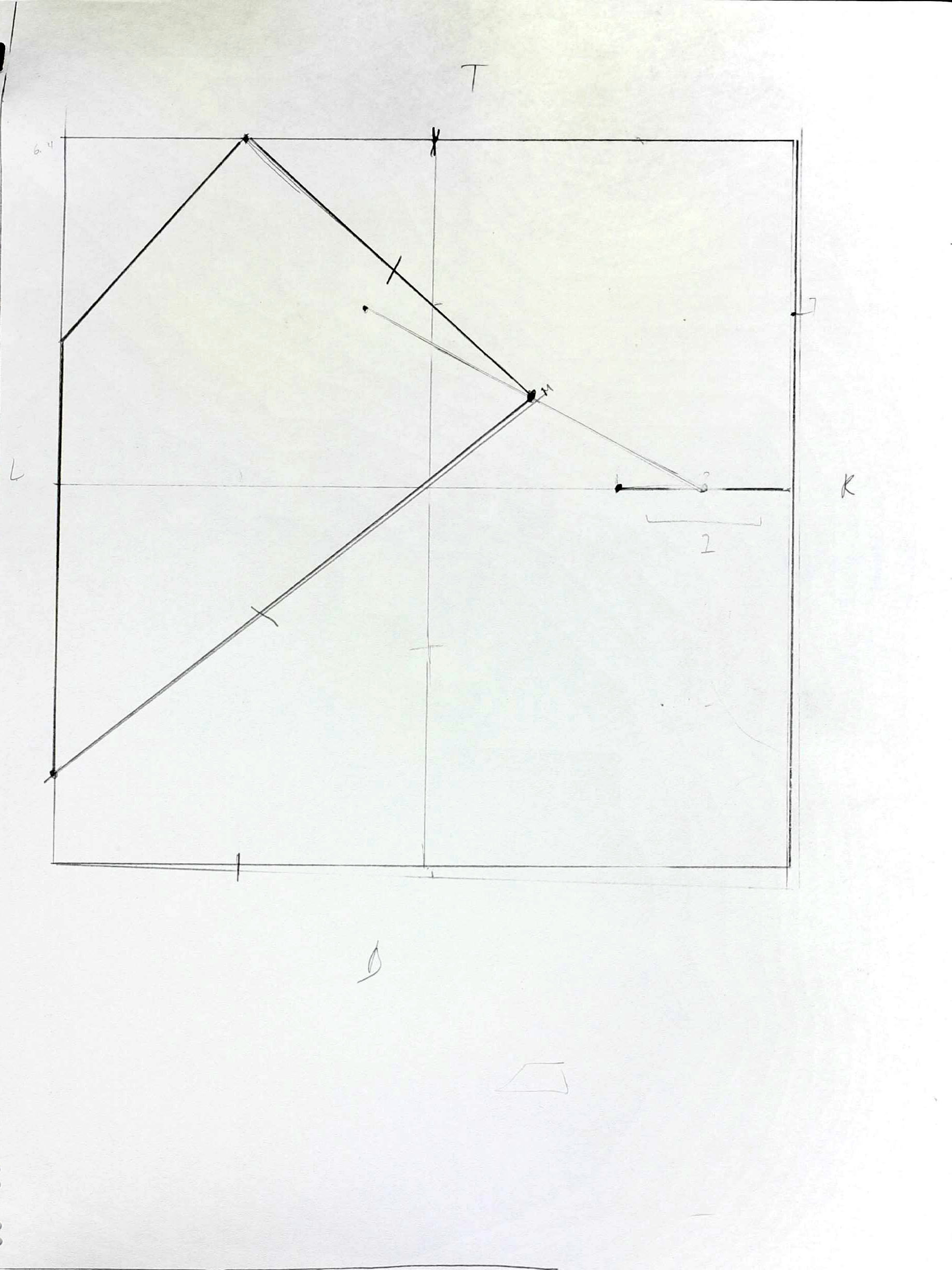
According to the designing manifesto, the process is the product. I was really interested in the process of creating drawings, one that no matter who followed the instructions the result would be different and when working with my own drawing instructions that was my focus. I wanted to make instructions that no matter who followed them each piece would be different. Below are the set of instructions I created for my instructional drawings. I also wanted to make the instructions as easy to follow as possible so when writing them, I attempted to separate different aspects required in the piece, from the initial set up to the actual drawing.

Concept:

This project looks to create a series of drawing based off instructions

You will be provided with a pencil, a ruler and a clear sheet of paper

Instructions

On the clear sheet of paper Create a Frame

  1. STEP 1

Label the top of the page T

Label the bottom of the page B

Label the left side of the page L

Label the right side of the page R

Draw 2 horizontal lines

Draw the first line ½ an inch from the Bottomof the page

Draw the second line ½ an inch from the Topof the page

Draw 2 vertical lines

Draw the first line ½ an inch from the Leftside of the page

Draw the second line ½ an inch from the Right sideof the page


Create a Drawing

STEP 2

With your pencil make dots

-Make a dot in the center of your page, equidistant from the horizontal and vertical lines you drew

Make 8 dots on the horizontal line [next to the label T]

Make 5 dots on the horizontal line [next to the label B]

Make 7 dots on the vertical line [next to the label L]

Make 3 dots on the vertical line [next to the label R]

STEP 3

Draw:

Draw a line (without your ruler) from:

*DO NOT LIFT YOUR PENCIL BETWEEN MOVING FROM DOT TO DOT

2nd dot next to label T to 3rd dot next to label R

 =2T to 6R

  4th dot next to label B to 8th dot next to label T

=4B to 8T

  3L to halfway between 3B and 4B

Draw a line from your current point to the dot in the center

 Draw a semi-circle from the center and loop through any three dots in on the lines

5B to 3R

connect the first dot on the horizontal line on the Top zig zag to an odd dot directly opposite on the Bottom and from that connect it to an even dot directly opposite it on the vertical line. Repeat this process until the painting is finished.

-If you’ve reached this point the painting is finished.


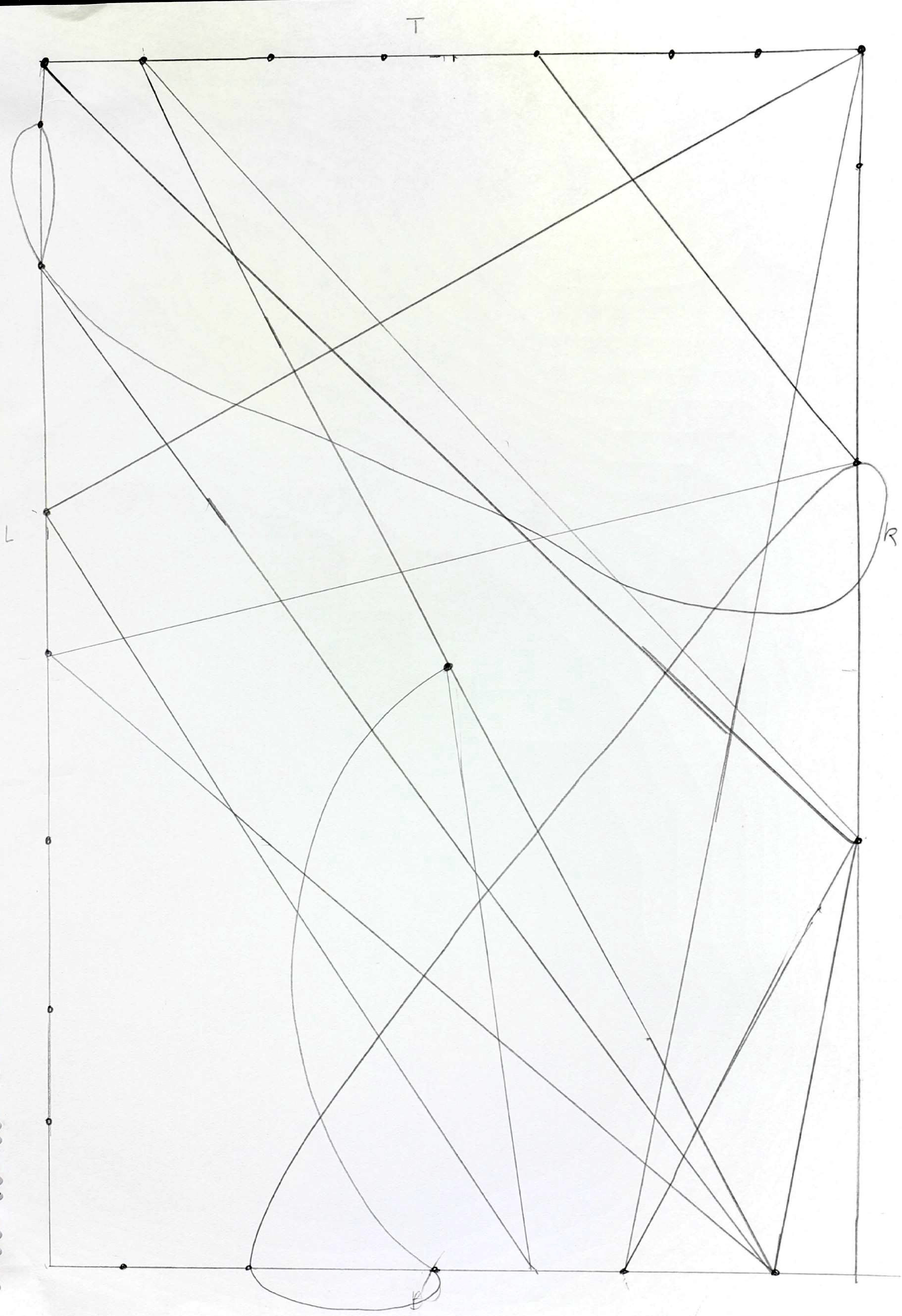
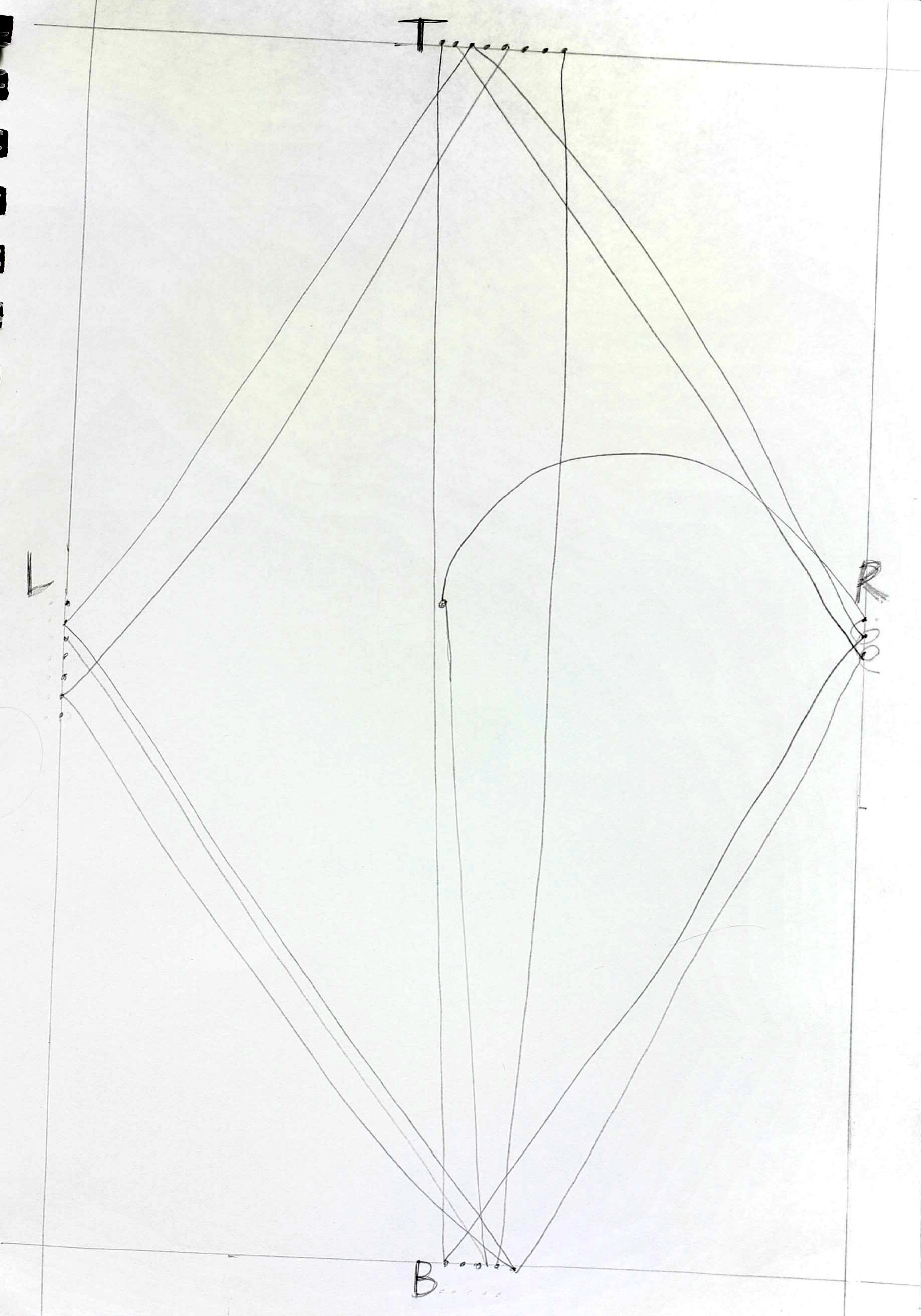
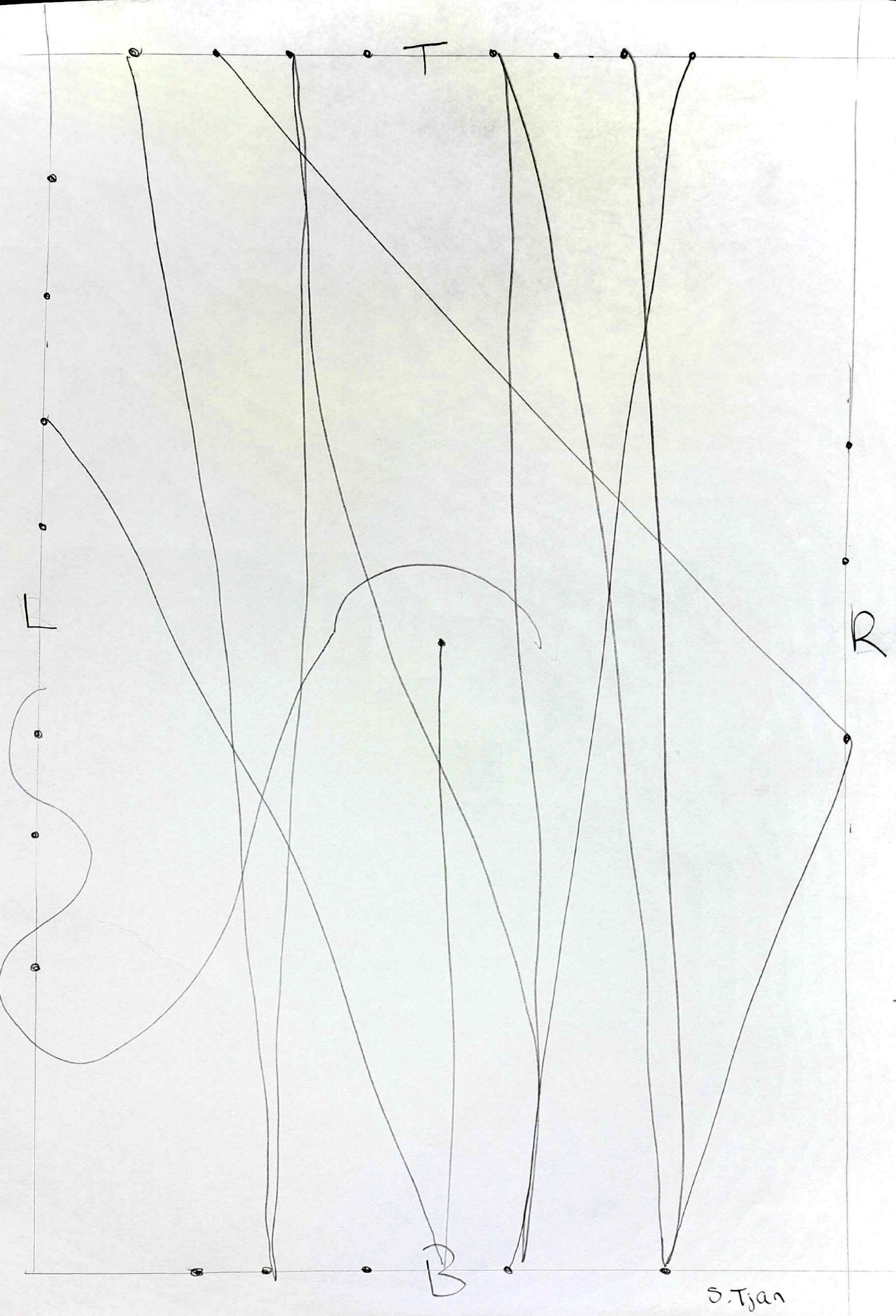
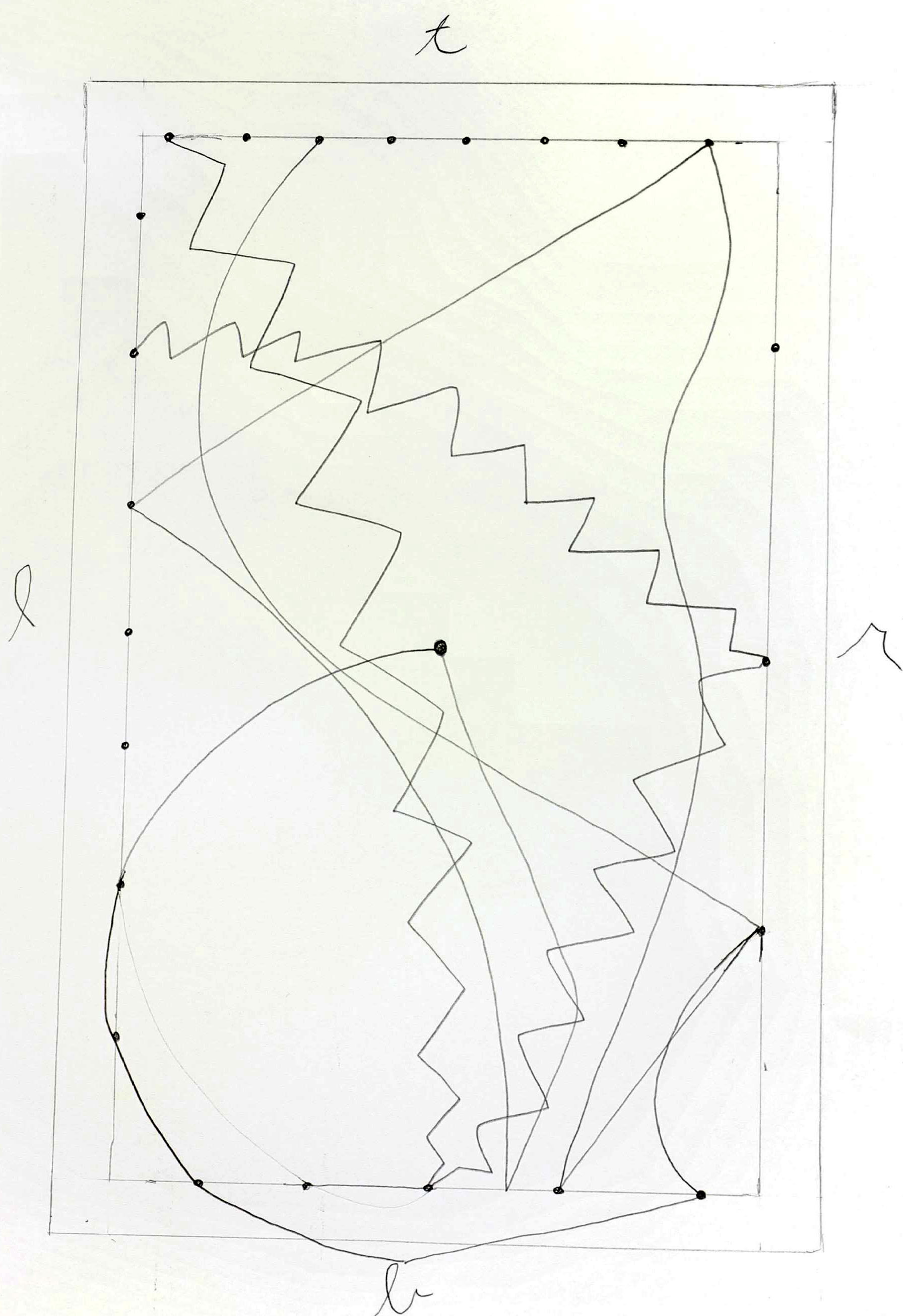
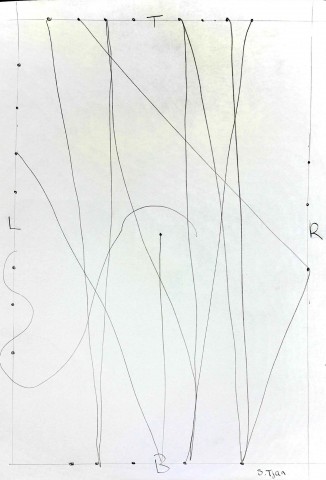
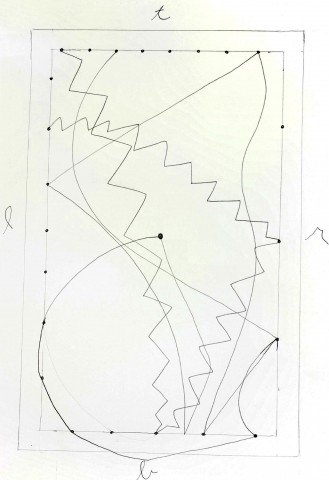
One instruction that I initially left ambiguous is the last instruction that says “Repeat this process until the painting is finished”. This instruction is my form of a loop but one that takes into consideration the artist. For normal loops one, or at least a computer, would continue repeating the process until a specific set of parameters are met. As an artist, painting kind of seems like a loop, except for me I never seem to know when to stop. A drawing or painting in my mind is never really finished and so when creating this ‘loop’ I wanted the artist to decided when they thought the drawing was finished, or if they would continue forever. Below is a series of drawing. The first is a drawing a created myself based off of my own instructions. The next three are the drawings I gave out for other people to complete. What I found interesting about the resulting pieces is how each individual interpreted different instructions. I made two initially random instructions. First, I didn’t  dictate where on the lines the people following the instructions would have to place their dots which meant that no matter what the lines made by different artists would never meet or be the same. Second, in one instruction I allowed the artist to connect the dots they selected to any other they selected. This was another way to intentionally generate randomness. One instruction that I found particularly interesting was the zigzagging from one dot to the next. In one painting the person choice to make zigzags, mini ones all the way to the next dot. It’s always things like this that you can’t really anticipate but also serve to create really unique and interesting pieces. That piece was my favorite because it was so unexpected.
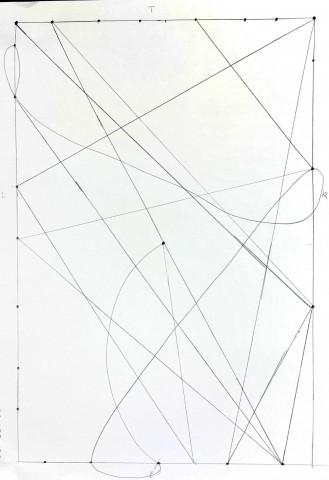
My Drawing following the instructions I made My Drawing following the instructions I made
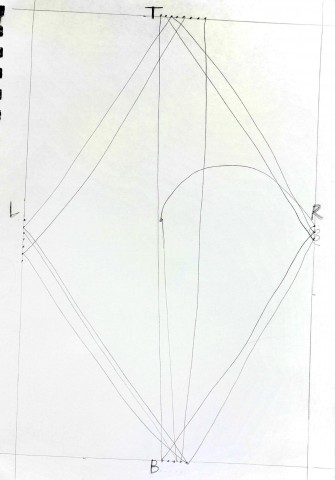
 

First Person to follow my instructions First Person to follow my instructions Second Person to follow my instructions Second Person to follow my instructions Third Person to follow my instructions. My favorite. Third Person to follow my instructions. My favorite.
Looking Outwards_02

One project that I admire – Aqueous

aqueous

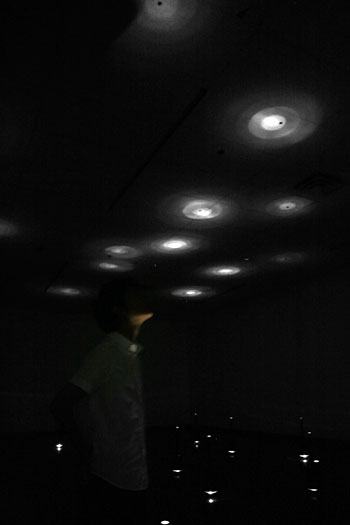
This project is an installation project where the water droplets from the ceiling is fallen to the ground where there are water holding tubes. There are lights that are under the tubes so the glows of light on the ceiling is visible.

The new atmosphere that is created by the mix of computer based art with water, it creates a new space where you can concentrate on the smallest things. The music that is made by the collaboration of water drops falling  was very interesting for me since different amounts of water can make different sounds. What I liked the most about this was that the fact even thou it is a computer generated art work it was similar to nature in that it had randomness in it. The water droplets falling into tubes are controlled but where they are fallen into can not be controlled perfectly. I think these little differences are something that makes the project meaningful.

http://www.processing.org/exhibition/works/aqueous/

http://www.zehao.com/

On project that I was surpised – Oasis

Oasis

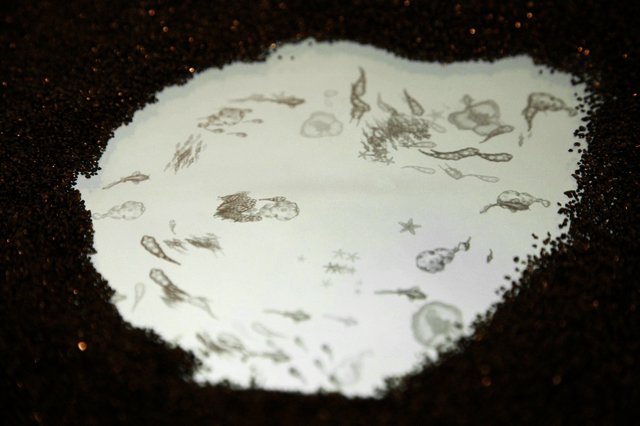
A surface of sand is turned into lively pool of creatures when people are interacting with the sand and moving it away. The moving creatures are revealed when sand is removed.

I was surprised by this artwork and technology since it is really easy for people to interact with. There is no complicated theories or background behind this but all you have to do is interact with it. Kids are always playing with the sand and interacting. Playing with different mediums is something that we don’t do as we grow up, but through this project people actually interact with the art piece and also have a chance to go back to childhood when they were surprised by even the littlest things that are hidden in our lives.

http://everyware.kr/portfolio/contents/09_oasis/#7

http://everyware.kr/home/

One project that missed opportunity – A string

A string is a shadowgraphs to a performance piece. I think this project might have been better if it was more of an interaction between the dancer and the shadowgraph that was shown on the background. They do have a synergy effect that makes the mood more to what the artists and the choreographer wanted it to be I think and it fits well with the Korean atmosphere that they were trying to achieve. As a two different medium they do go well together but since it is not interacting to each other but rather is being played to fit each other I think there might have been more opportunities if it were interacting rather than playing it.

http://tokage.cafe24.com/string.htm

Drawing through process

Attempting to execute the  Sol Lewitt line drawing was almost as difficult as the whole elaborate instructions appeared, except not quite. Once I created a process in which I could tackle each point and then each line, I found that following the directions weren’t as hard as I initially anticipated it to be. I was able to do this by reformatting the way the directions were displayed. Where at first all the directions appeared in a mass of a paragraph, I separated each line from one point to the next and was able to follow the directions to a somewhat more manageable way.


Original text versus my reformating Original text versus my reformatting


Making the instructions more visually succinct really helped make the drawing process a lot more manageable. Even so, I’m not quite sure I succeeded in created the instructed trapezoid. Below is an image of my completed trapezoid.

My Trapezoid My Trapezoid

Instructional

Instructions:
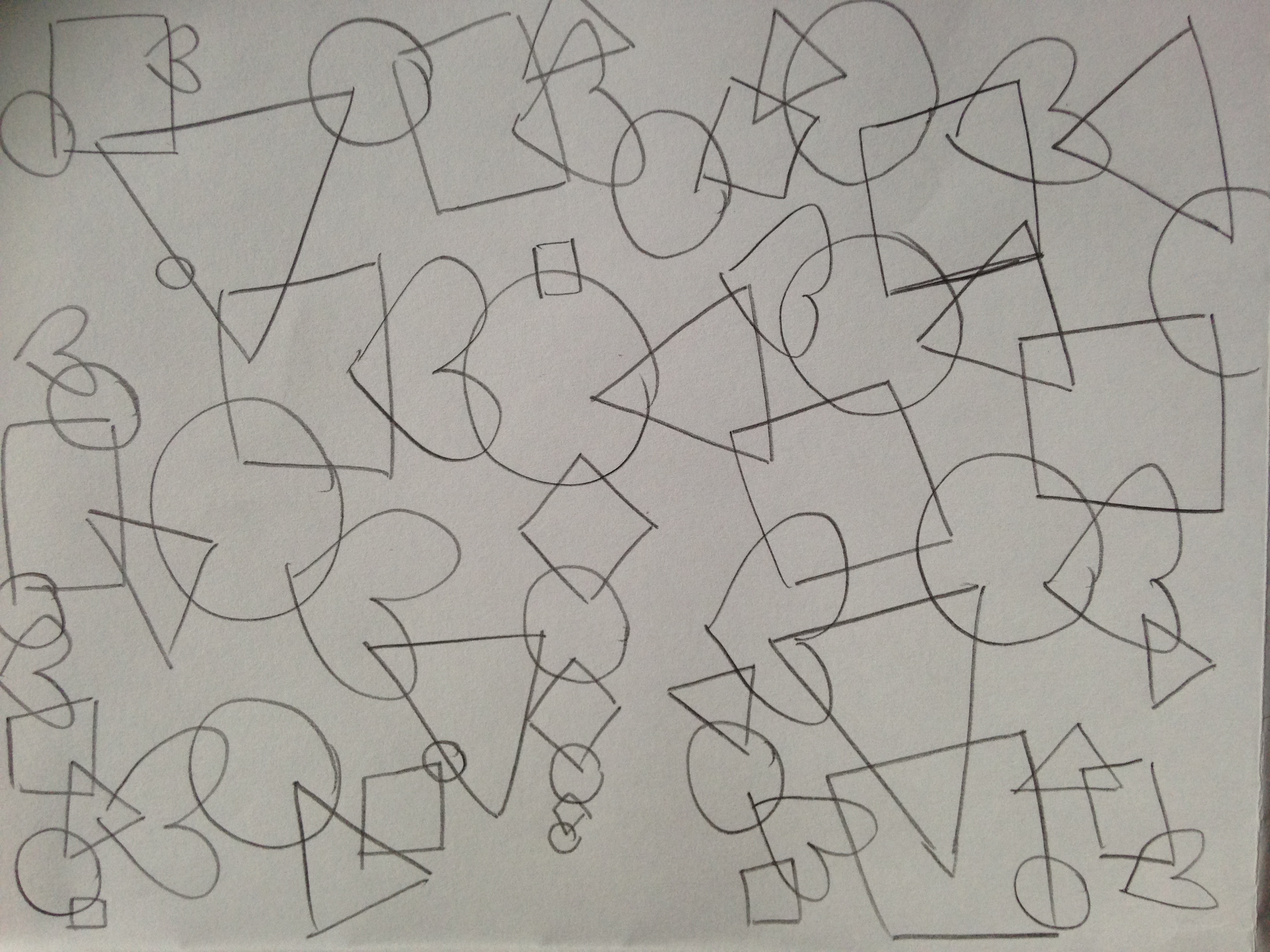
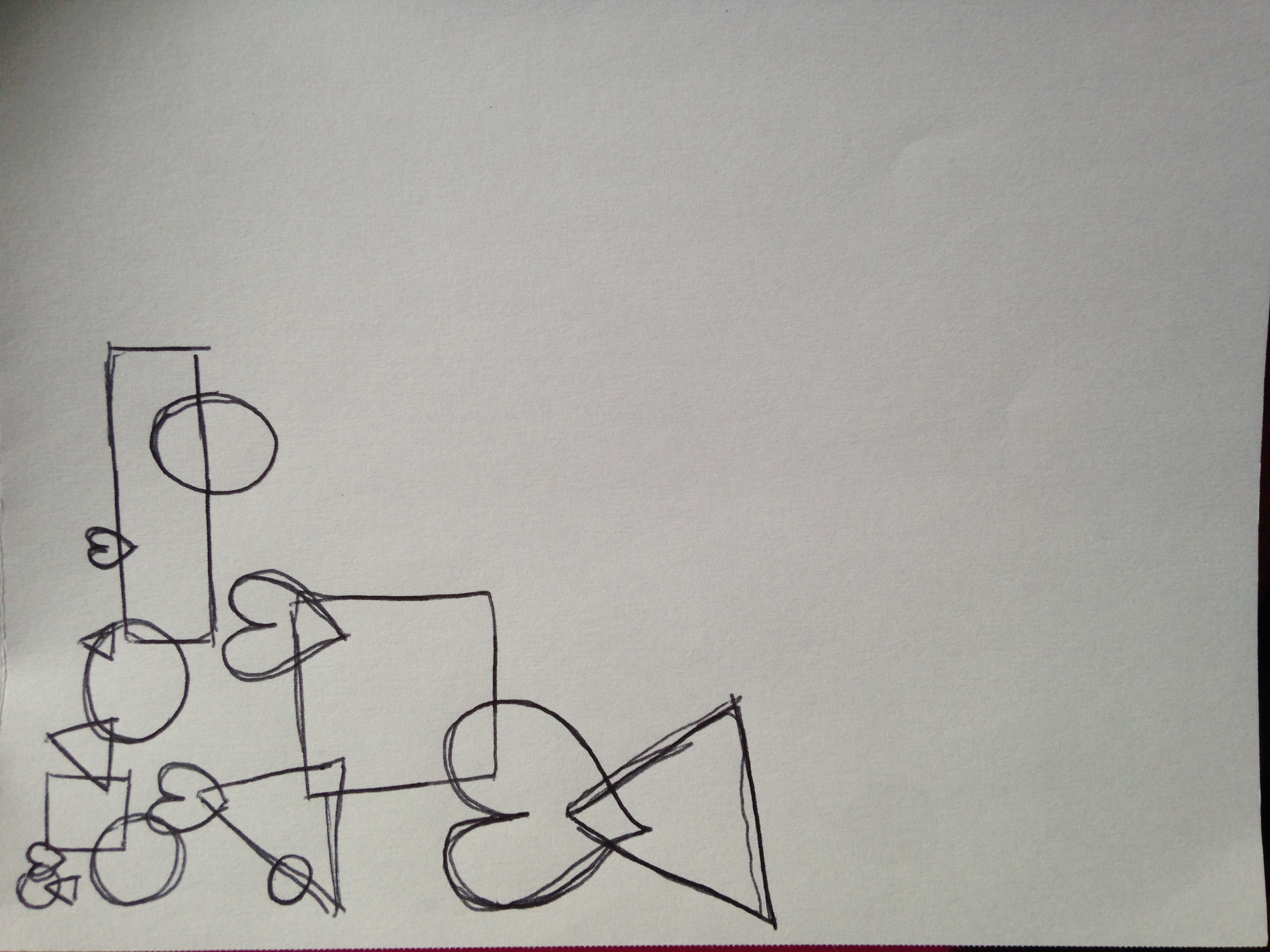
1: Draw one of the following (Square, circle, triangle, heart)
2: draw another one, overlapping the first . The same shape cannot overlap itself.
3: repeat step 2 until you run out of room or get bored .

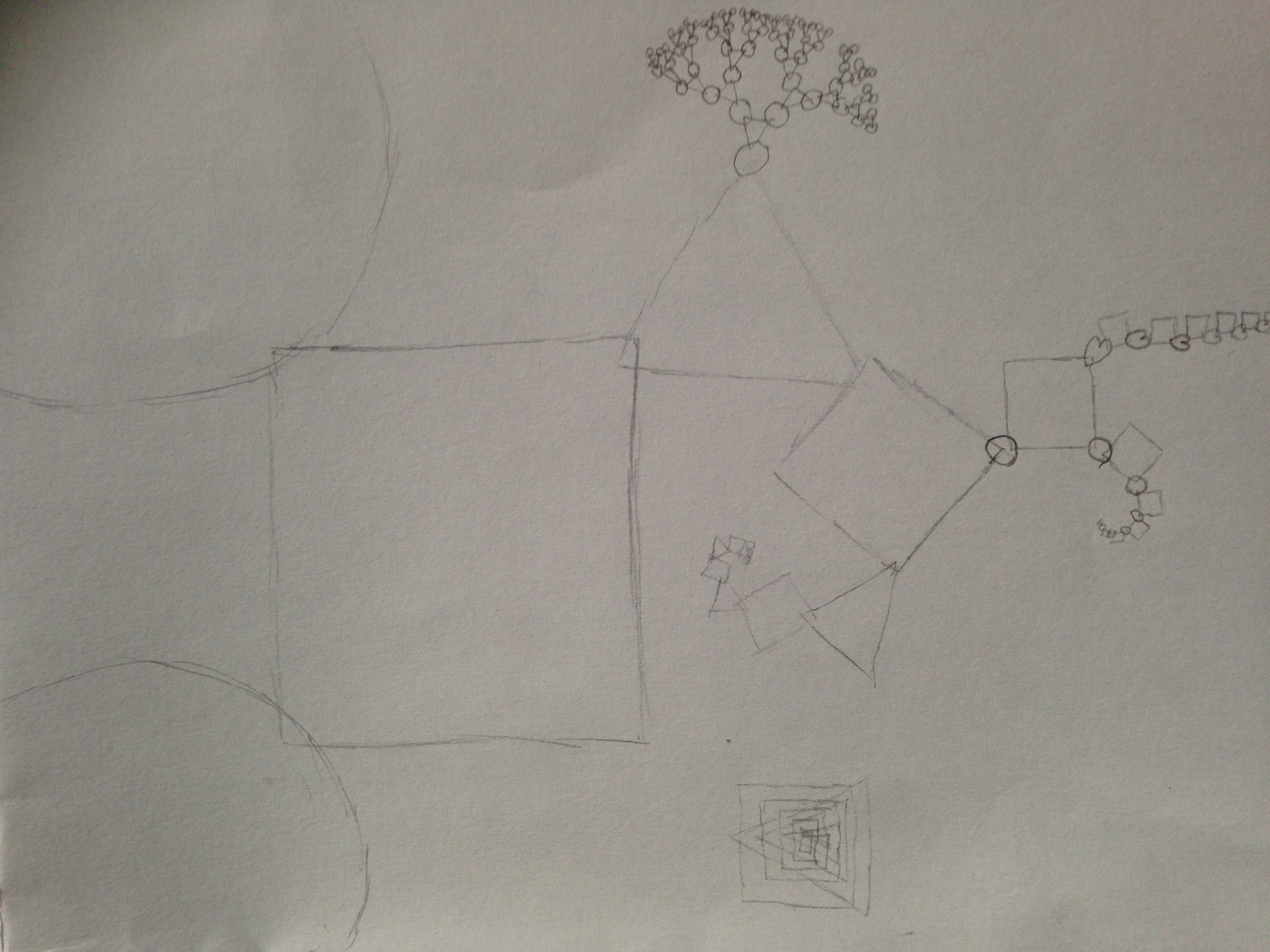
I didn’t exactly have an end result in mind when I gave this to people to do, I just wanted to see what happened. When left to their own devices, there is no consistency in what any of my participants did. One of them decided to stop when they got bored; the other two went until they ran out of space. Two of them generated shapes randomly, the third made theirs into some kind of fractal, probably because they’re a math major and that’s how they roll. Pretty much all of them asked if shapes had to overlap/if a shape could be completely inside another shape or if it had to cross lines with another, so probably I would include some clarification in the instructions of that. I also varied the subjects (one writing major, one engineer, and one math) so I could see how different types of people interpreted the instructions.

photo 1 photo 2 photo 3

Looking Outwards 2

BitTorrent Visualization

The visualizer can be found here. I found this project by Chris Lee at processingjs.org/exhibition. I immediately admired it because it found a way to demonstrate a complex idea using simple and easy to understand animations. It also manages to look quite interesting and flow smoothly between different modes. For instance the addition or removal of a seed or peer flows smoothly when readjusting the circle and continues to move the “data” bubbles between the seed and peers. It also uses color very well. Not only does it look nice because of the bright rainbow of colors that are used, but the colors also manage to represent separate parts of the data, thus allowing it to more precisely demonstrate how BitTorrents work. It is interesting to me further because it finds a concrete way to demonstrate the operation of a complex system using a simple animation with little to no textual information. I often find that diagrams for systems I am shown use too much text and little to no color and leave most people confused because they simply can’t keep all that textual information in their head when looking at the whole diagram.

Interactive wall with Kinect

I felt that while this demo was interesting, it could have been better executed. The jittering 2D physics (Box2D for oF by the looks of it) in the demo left the demo feeling broken. It seemed that whenever the user touched the screen a new solid was added that left the system throwing things around because an impossible state was reached. It would have looked better if when the user touched the screen that area was held by the user. Then the user would be able to throw, slide, or pick up things and the simple physics wouldn’t have looked broken. However, the demo did show that the addition of a user experience adds a lot to a simple demo. This demo was made by Biopus Studio which after further reseach appears to have many much more interesting interactive electronic art pieces.

My Life Aquatic

http://mylifeaquatic.herokuapp.com/

This surprised me simply because of the amount of time that I spent having this fish collect food. This simple application manages to make you forget that it is an just a simple game by calming you with music while you gently steer a fish around to keep it alive. I like it because it uses sound and smooth animation together well with a very smooth style. The interactive aquarium was developed by Sunah Suh and David Leibovic and the koi which were used were designed by nardove. Nardove has the following quote on his/her website which I appreciated.

do { enjoy(); } while( coding == play );

Lewitt

KIC Image

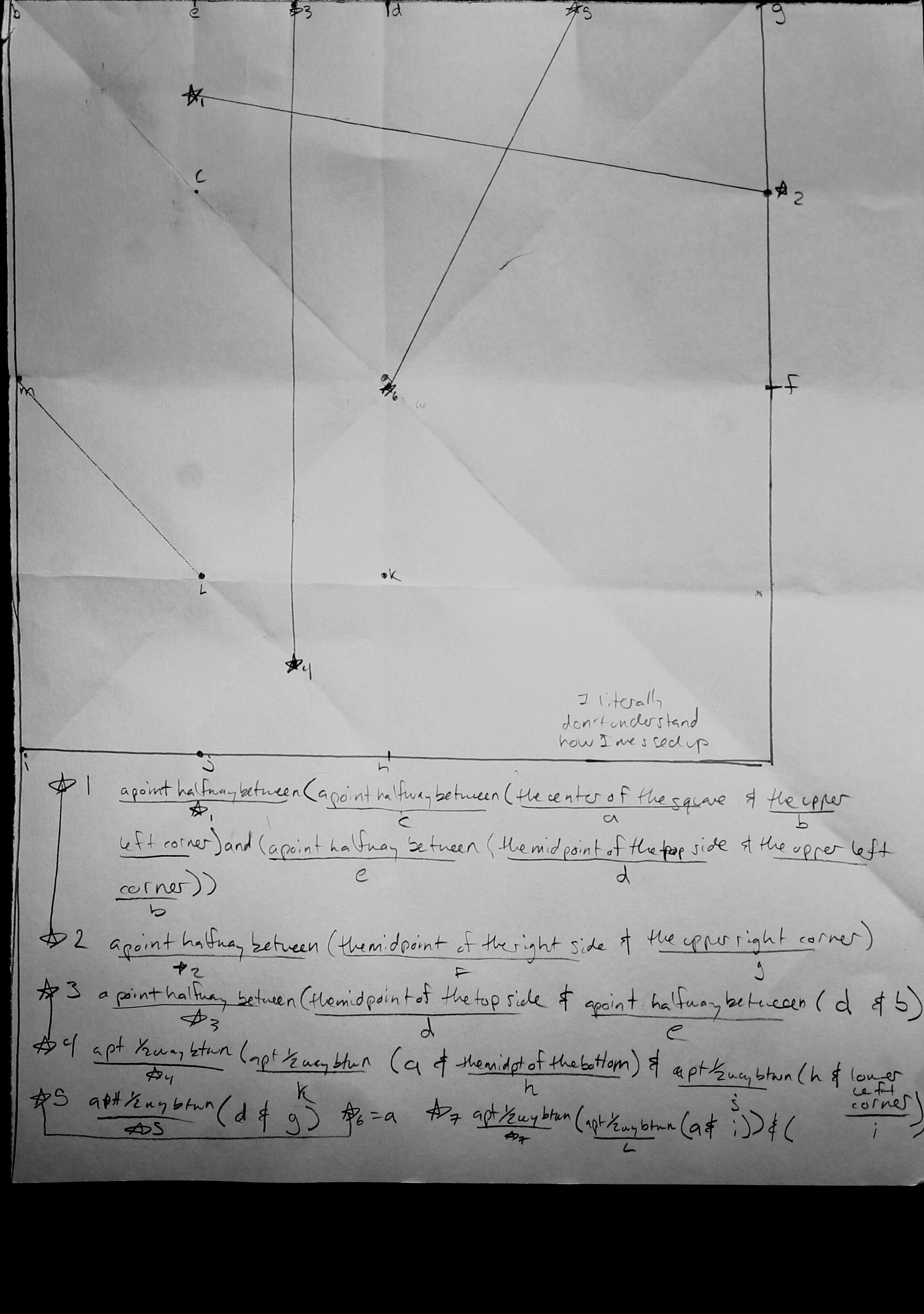
So the scanner in Hunt is absolutely a terrible idea but I don’t have time between classes to go and re-scan this.

My experience executing this is that I felt great about it all the way up until the last step, at which point I realized I had screwed up Marjory somewhere along the way and couldn’t figure out how. My method for trying to execute it was to split each instruction up with parenthesis like a math equation so I would know what parts I had to do first to get to the point halfway between the point halfway between the whatever I had to do next, but I suppose I mis-parenthesis-ed or mistakenly separated or lumped together a few unrelated directions because it came out completely weird and I can’t figure out why.

Also probably folding the paper to make my guidelines wasn’t a good idea in the long run either.