IFTTT: Pretend Timewasting

Screen Shot 2014-09-02 at 22.34.06

I waste time. Say what you will about Reddit, it helps me do this very well. However, it sometimes turns up something worth taking note of. I normally lose these in the stream of information or bookmark them, never to be looked at again.

Until a few days ago, I’ve been using the iPhone 5’s native Notes app to take notes on whatever slides into my head. Every week, I force myself to clear this out, sorting ideas and answering questions. While working on this project, I realised that OneNote serves me better in this by directly transferring my notes onto my laptop, saving me from having to type them out again.

Combining these will hopefully make reviewing things of interest more regular and easy.

Some Thoughts (IFTTT, Campbell and Thorp)

While I like the idea, IFTTT is like being handed an enormous toolbox which contains more tools than you could ever need but not the ones you want. On top of that, you don’t know what tools you want. There needs to be a distinction between things that save time, and things that allow you to ignore information. With a lot of these tools, it seems like it would become very easy to consider issues dealt with, and forget about them.

Jim Campbell’s Algorithm for Computer Art is fairly ham-handed self-depracating humour, In my opinion. All art forms essentially consist of processing outside information into some new reality. It may be unsubtle, But it works as art if pointing this out is its goal.

The API seems monolithic in importance, and incredibly simple conceptually. The article gave me a huge sense of potentiality, a sense that so much could be achieved by standing on the shoulders of giants.
Instructional Drawings and Instruction Interpretation

INSTRUCTIONAL DRAWING

img004


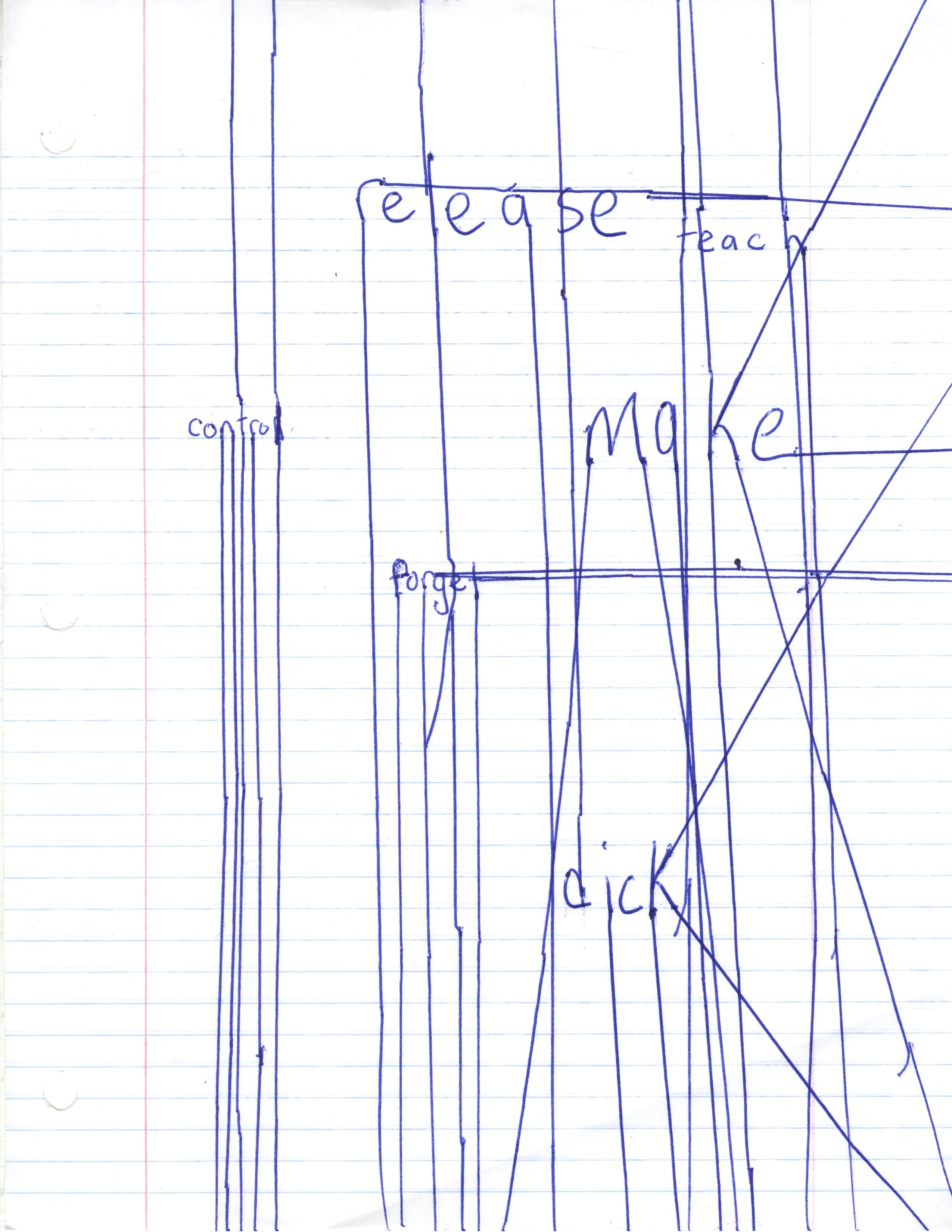
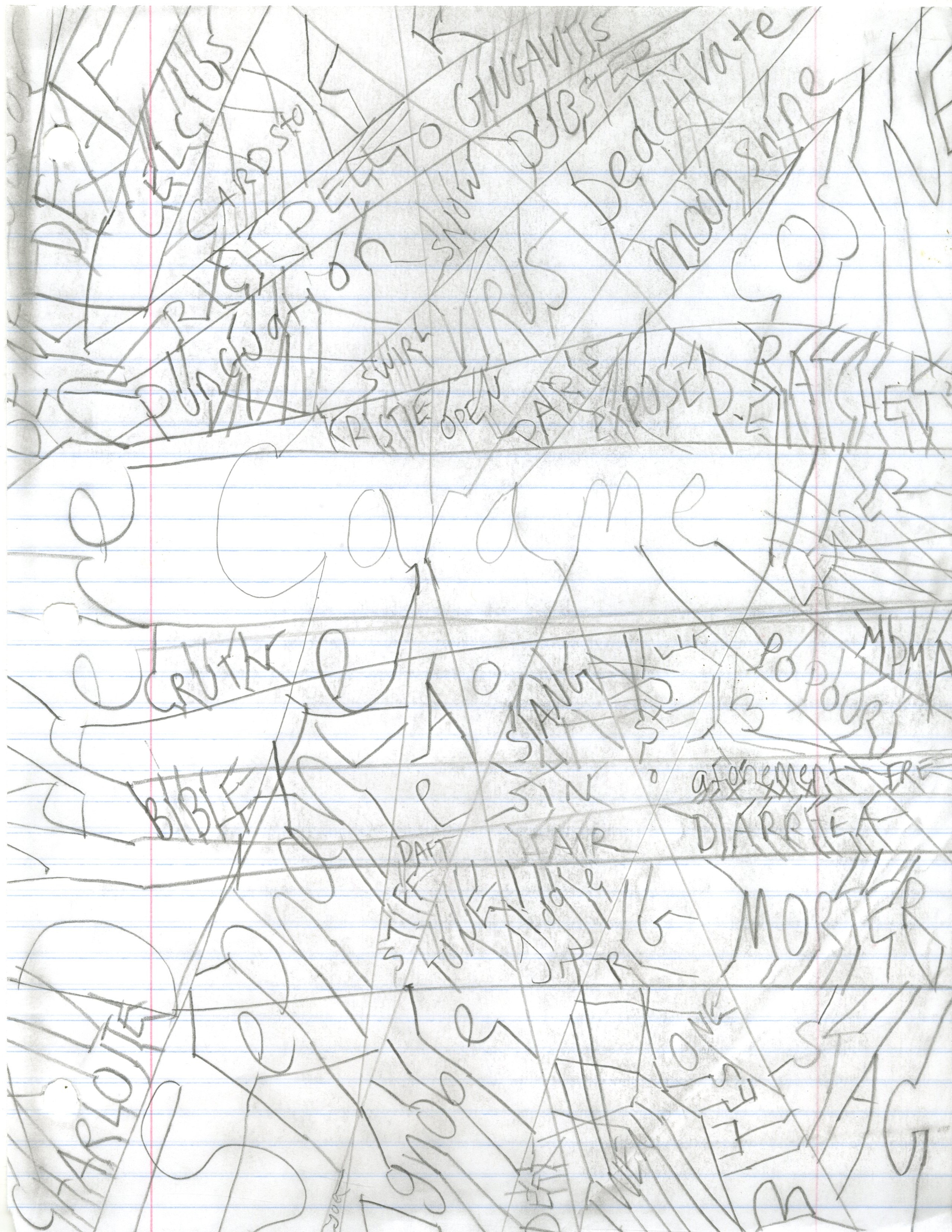
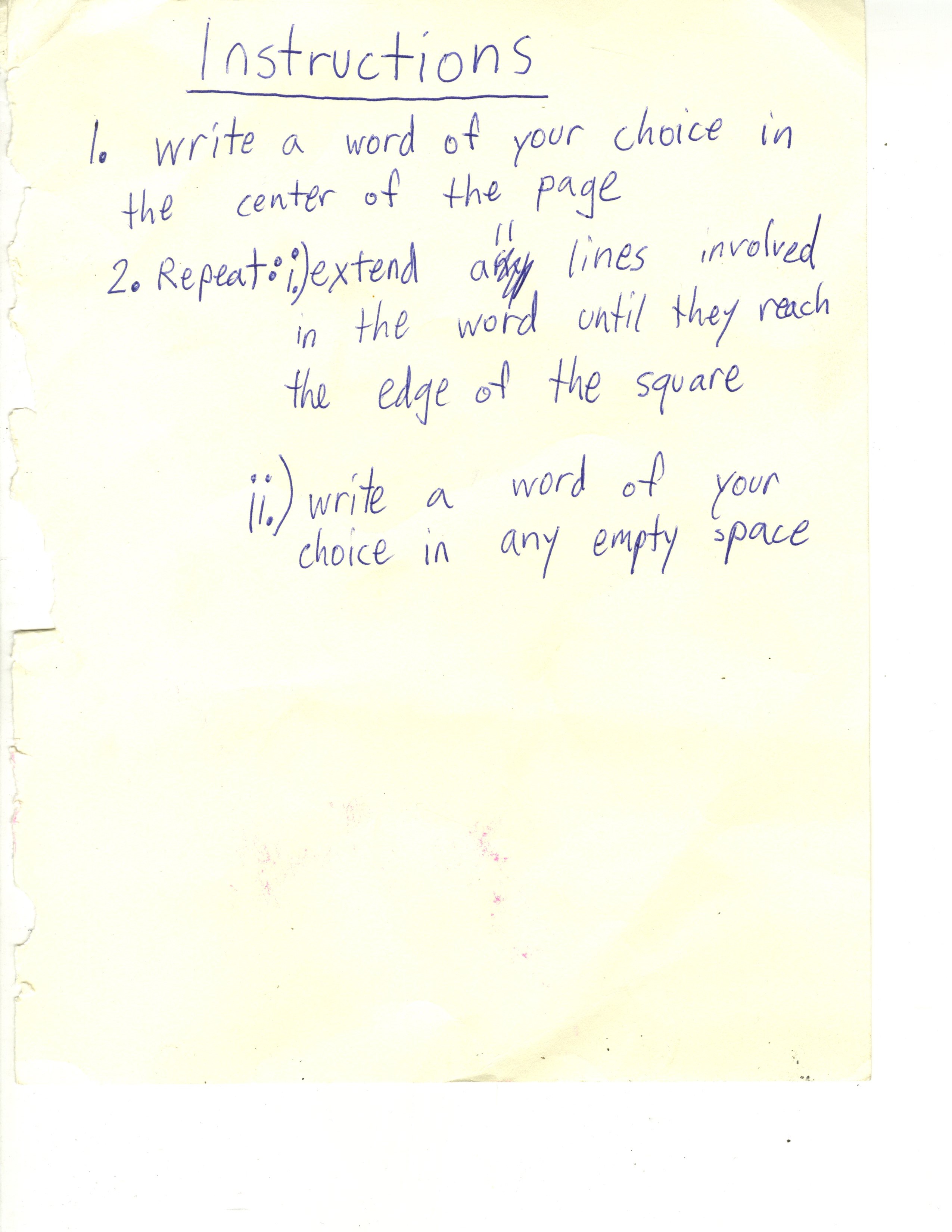
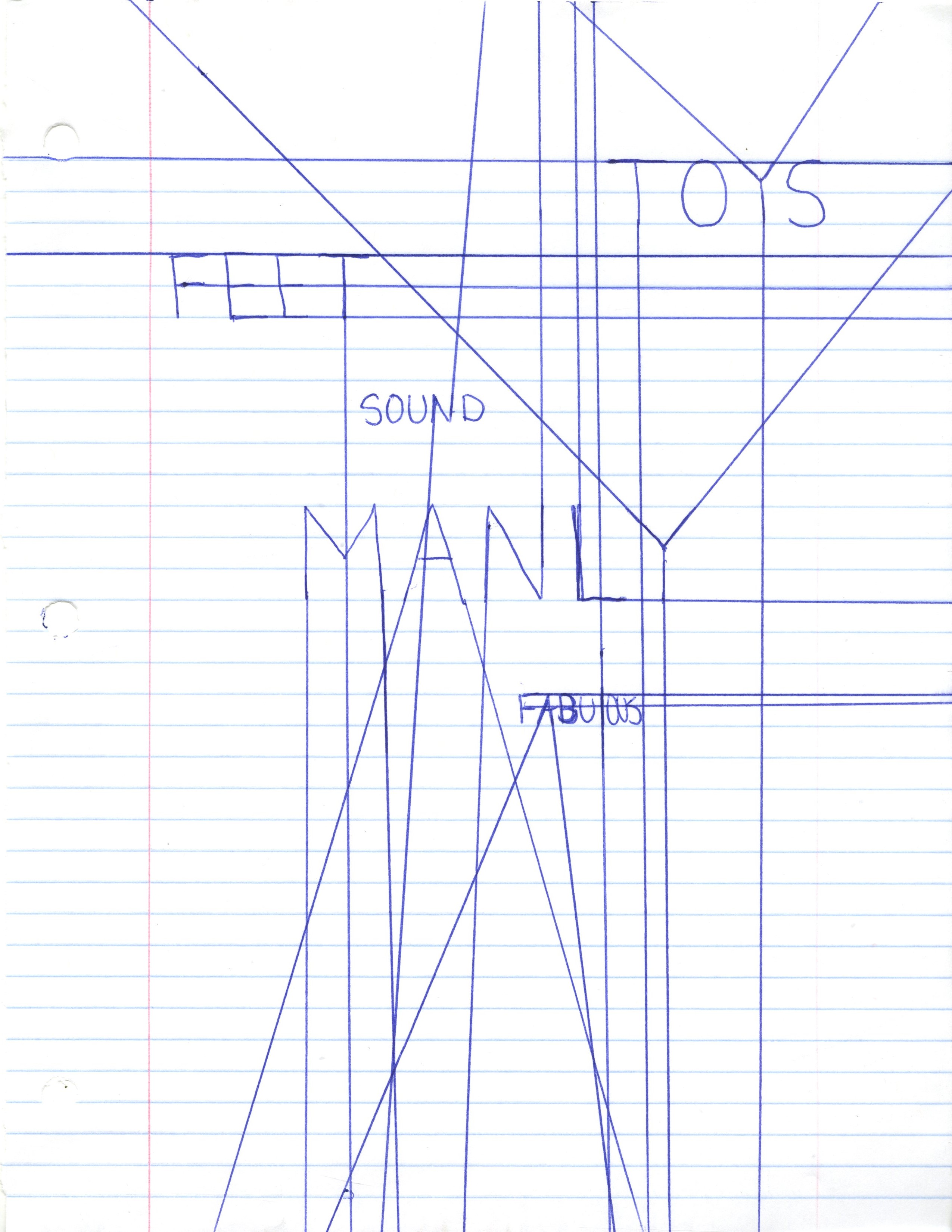
My instructions were simple enough, and elicited varied responses from my three volunteers. I think I should have left the line extension step more vague, so as to vary interpretation more. Regardless, I got what I expected aesthetics wise. The first two volunteers left a bit more empty space than I expected, which I actually like very much.

img003 Chris Copeland, my roommate img002 Kasem Kydd, was eating pie in my room img001 Charlotte Faye, person in this class

Wall Drawing

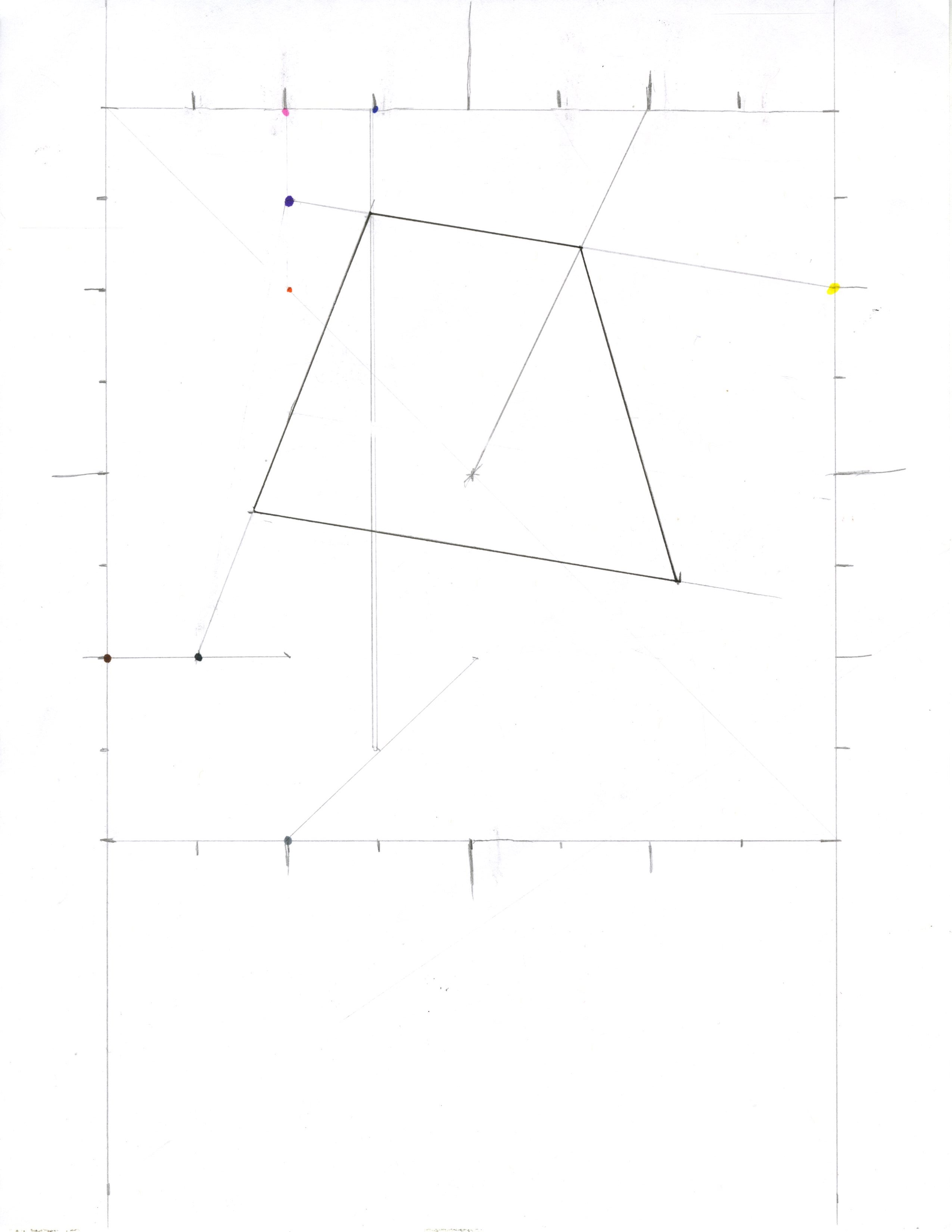
Here is my Lewitt “Wall Drawing”:

img001

It is not really the code we talk about today because this was made by a human. It was code as origami or crocheting instructions are code (although Lewitt had no intention to clarify for the person on the receiving end). I saw a lot of similarities between the wall drawing and code. It was a structured whole piece that needed to be de-constructed layer by layer. Not as straightforward as it sounds, because no piece could not be fudged or ignored without resulting in an odd drawing. I found that I worked on this the same way I would work on a processing problem.

I got through it by looking at past wall drawings and seeing his style of wording, and then applying that to our trapezoid. Our trapezoid was not as bad as some other horrid wall drawings.


MAJ: Looking Outwards #2

Admiration: <OASIS – sand>

Created by Yunsil Heo and Hyunwoo Bang, <OASIS – sand> allows one to create a pond and view the creatures inhabiting it by moving around particles of sand. The creatures react to changes in the pond’s shape, avoid pebbles placed into the pond, and react with surprise if a pebble is suddenly dropped onto the pond.

I’m impressed by the mix of complexity and simplicity this project creates. I imagine that the surface the creatures inhabit must have been custom made, so I’d like to know more about how the different elements of Oasis interconnect. Is the table itself the computer that senses sand placement and spawns creatures? Even the creatures themselves are complex, as each kind seems to have some sort of flocking behavior informing its movements. The element of simplicity is the user interface, which allows all of the intricate code and machinery to become an organic experience.

I would like to see the ideas behind <OASIS – sand> applied in a gaming context. Could different pond shapes and rock placements result in different ecosystems? Could individual creature populations be monitored and messed with? What sorts of feedback cycles might result?

More information about the Oasis project, such as <OASIS – water> and Oasis II, can be found here. To see more of Yunsil Heo and Hyunwoo Bang’s projects, visit their website by clicking here.

Surprise: Birds?

Created by Frédéric Granon, Birds?  appears to exhibit some form of flocking behavior.

I was drawn to Birds? by its overall visual effect. The simplified shapes and color palette are attention grabbing, and I keep re-watching in an attempt to understand how the flocking behavior works. I could see Birds? working well as a title sequence, or possibly as a background element for a menu screen. There’s not really anything revolutionary about Birds?, yet it appeals heavily to my sense of style.

Frédéric Granon’s website can be found here.

What Could Have Been: Poster Generator

Created by Universal Interaction, Poster Generator was made for the Shutterstock Analog Mensch Digital Exhibition in Berlin 2014. Poster Generator appears to take multiple images of the same subject and combine them in definable chunks to create a new image.

While Poster Generator certainly looks cool, I wouldn’t want to use it as its namesake. The designs it is capable of making are unattractive to my sense of taste. It’s possible that this is a fault of the documentation, but as the program is not available online to play with, the documentation is all I have to go on. Regardless, I could see some form of Poster Generator as an add-on for something like Photoshop.

Universal Interaction’s website can be found here.

IFTTT, Art and API

First, when browsing recipes I came across this:

Screen Shot 2014-09-01 at 5.08.06 PM

“Auto download the new songs in a Spotify playlist to my Dropbox” It’s great. It takes a spotify playlist I made and it searches for the exact songs as free downloads on Soundcloud and LastFM. It is really buggy and only works about half of the times its triggered. If anyone can figure it out before I can, could you let me know? I highly recommend this recipe, otherwise.

I have made my own three simpler recipes.

Screen Shot 2014-09-01 at 5.08.45 PM

First I have one that sends me a text message when the president signs a new bill, includes the name, the code, the sponsor, and a link for more details.

Screen Shot 2014-09-01 at 5.08.33 PM

Second I have a recipe that sends me a push notification when its about to rain, along with the temperature.

Screen Shot 2014-09-01 at 5.08.59 PM

Then I have one that is a prank, every year today at 3 pm I’m going to make a tweet saying that I will remember this moment every year. It will fool my (2) followers into thinking that I have a really good memory, if they remember themselves.

The way APIs made software and programs easier to control, as discussed in Art and the API, IFTTT also makes software even easier to use to its full potential. IFTTT is more user friendly than any other platform to bridge programs together, and because of that, the user can be bridge effortlessly without the burden of learning how to use it. It is a tradeoff, though. Using IFTTT without any customizing the user has to work within the limits of the website. IFTTT and APIs relates to Jim Cambells formula for computer art, because it is creative minds transferring data from one form to another, and allowing real time interaction. These technologies have been around for a while, but there is new and interesting work being made using them because they can be repurposed in infinite ways.

Instructional Circles, Lines and more Circles

Here are the actual instructions provided to other students:

  1. Draw a small circle anywhere on the page, and draw a dot at the center of this circle.
  2. On any point on the circumference of this circle, draw a larger circle such that the circumference of this new circle is tangent to the circumference of the previous circle. Make sure that the new circle does not overlap with any other circles. Draw a dot at the center of this new circle.
  3. Repeat step 2 until not possible. Keep count of the number of circles drawn – the goal is to draw as many as circles as possible.
  4. Draw a line from the center of the last circle to the center of the previous circle.
  5. Repeat step 4 until the first circle is reached. (At the end, every line should be connected to at most 2 other lines.)
  6. Draw a line from the center of every circle drawn to the center of the very first circle drawn.
  7. On the bottom right of the page, sign your name, date, and also write down the total number of circles drawn. Draw a box around the total number of circles drawn.

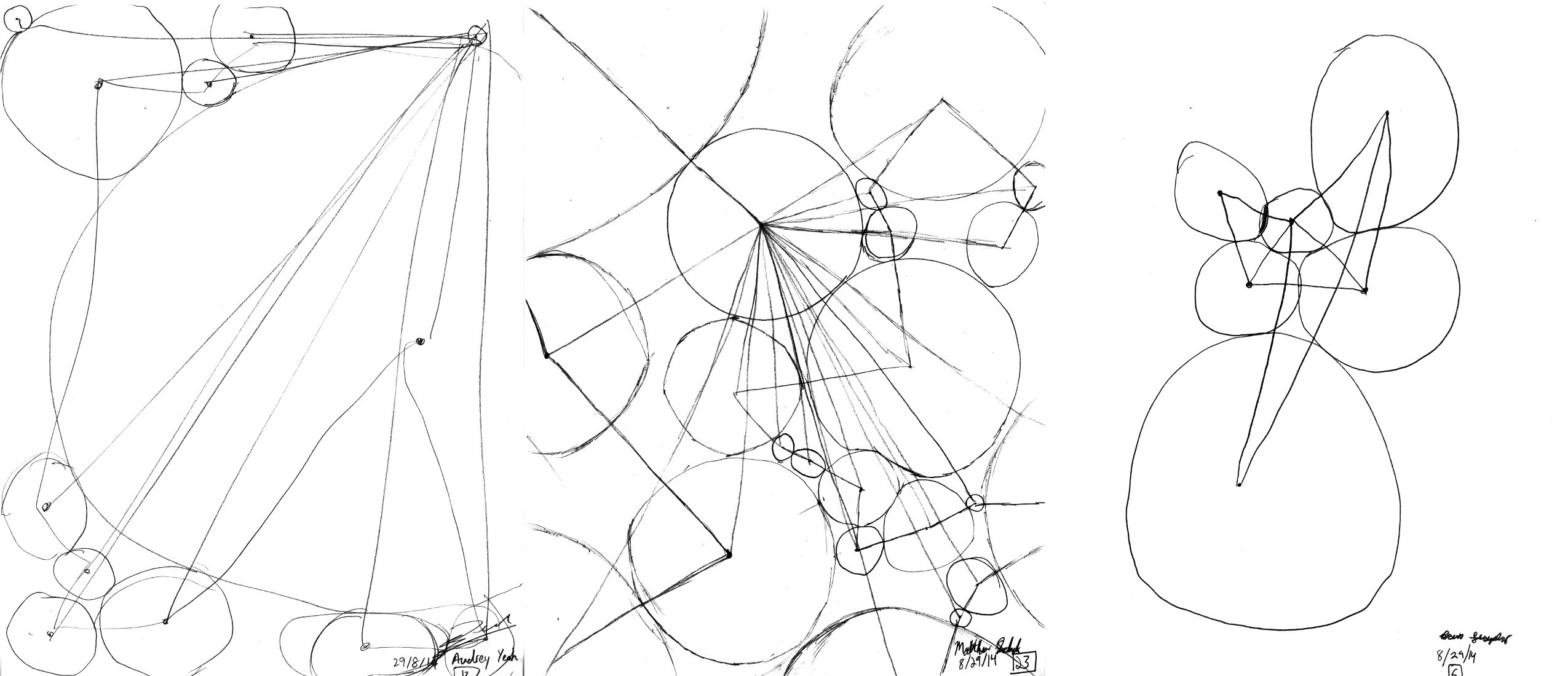
Here are images of the results:

circles

(From left to right: Audrey Yeoh’s interpretation, Matt Sebek’s interpretation, and Brent Strysko’s interpretation.  Thank you all for being such excellent test subjects – er, art assistants.)

In retrospect, I think my instructions must have been rather confusing. Although I kindly informed my participants that I could not answer any queries about exactly what my instructions are asking them to do, every participant expressed a certain level of frustration regarding exactly what the end what supposed to look like. Although each acknowledged a certain lack of artistic ability (particularly when relating to drawing circles that are supposed to be more circular than blob-like), I was somewhat surprised at the difference in what I imagined the result to be and exactly what resulted. I understand that while my participants are not computers, it was somewhat interesting to see them execute the task considering each of them were from engineering backgrounds. Despite this, I was pleased by the level of randomness that occurred from unintended ambiguities from my instructions. If I were to do this again, I would attempt to gather people of different backgrounds and I would also add one more step at the beginning of my instructions: 0) Read all instructions before attempting to continue to step 1.

Lewitt’s “Wall Drawing” has nothing to do with walls

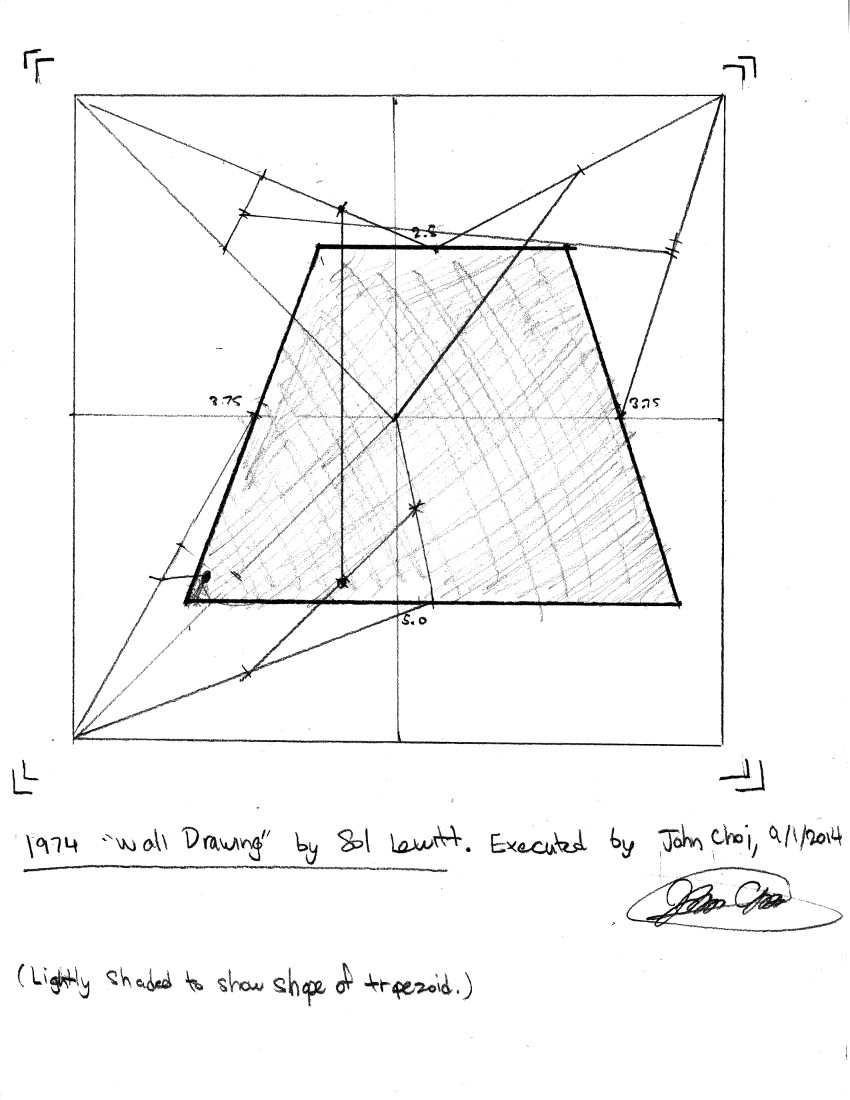
Here is my interpretation of Sol Lewitt’s “Wall Drawing,” 1974:

lewitt

If the goal was to confuse and confound artists and mathematicians alike, then Lewitt succeeds very, very well. If the goal was to inscribe a shape into a set of readable and easily transferable instructions, then Lewitt fails miserably. If Lewitt really wanted to transfer a drawing into text, a much simpler solution would have been something along the lines of:

  1. Draw a square with side lengths 6.5 in.
  2. Draw a trapezoid with the coordinates of its vertices (1,1), (2,5), (5,5), (6,1).

Perhaps Lewitt follows some very strict and obscure form of logic in the way he writes his instructions, but certain ambiguities may arise from over-complexity, allowing the creation of many valid shapes from the same set of instructions. If we can call Lewitt’s work “code” akin to that of computer programming, then I would have to say it is very poorly written code. Code for computers is not written for computers to understand, but for humans to understand; if the coder fails in this respect, then the coder is either working alone or is simply really bad at the art of coding. Good code should aim for either one or both readability and efficiency; Lewitt’s “Wall Drawing” goes for neither. This is not to say confounding myself in Lewitt’s transcription was not entertaining – at the very least, it was an interesting experience attempting to draw Lewitt’s logical spaghetti.

IFTTT, Thorp and Campbell

Here is my IFTTT recipe:

IFTTT

I like this recipe because it is clean, simple, and non-obstrusive. It will help me recollect over what happened over the past week in a digest format, and lets me reread anything that I find interesting or important.

IFTTT, Jer Thorp on APIs, and Jim Campbell’s satirical take on computerized art all have different perspectives on the direction and relationship of social networks to art. Although IFTTT does not have to be used in any one particular way, it appears as though IFTTT is most used for utilitarian purposes and convenience, directly connecting one activity to another. Jer Thorp takes a similar approach to explaining the usage of APIs, but extends their functionality to the realm of art, so people can make connections between themselves and the real world around them. Jim Campbell, on the other hand, makes an almost sarcastic remark about the nature of modern computerized art, even to the point of poking fun at his own computerized works to demonstrate this. The way I see it however, is that computers, like the paintbrush and the chisel, are just tools to make art. Like all tools, computers have unique nuances which make computerized artworks possess a special air that no other tool can replicate.

Further into Twitter

Here is a tweet I found interesting. ­

This tweet caught my attention because it led to information stating that Studio Ghibli, run by Hayao Miyazaki, is creating a new work based on the life and times of an aviation engineer during the 1930s. While this may strike as being odd to some, I actually love reading about aviation history, particularly during that of its early years, and to hear that one of my favorite animation studios is making a film about it is music to my ears.

JohnChoi-LookingOutwards-2

One project that I admire is Petting Zoo by Minimaforms studio. This project is basically a a set of three glowing robotic tentacles that hang from the ceiling and act as robotic life forms that intelligently respond to nearby human presence. It appears to have a Kinect-like device stationed from a hidden area that sees humans, whom the robotic tentacles can “look at” and play with. I admire this project because it demonstrates state of the art technology being used to push the envelope on artificial life and what it means to be alive. While I admire this project for what it is, I think this project could go further in a variety of ways, particularly by introducing more artificial “lifeforms,” each of which interact and play with humans in their own unique ways.

One project that surprised me is Magnetosphere by flight404 in 2007. While I have used Processing for some simple 3D graphics before, the level at which Magnetosphere demonstrates the power of Processing is astounding to me. It was as though the universe itself was recreated on the spot in real time from a blown out perspective. It is beautiful to look at, and the level of awe and immersion could only increase as one stared at longer and longer. I have only one qualm about it however – the patterns can get somewhat repetitive, and while the degree of randommess that occurs while times passes is certainly there, it does not appear to affect the grand scheme of the piece. Despite this, I really do like Magnetosphere.

One project that I believe missed an opportunity is Processing Tech Support by Jonah Brucker-Cohen. According to the description provided, this work is a satire on modern technical support and how it would evolve over the course of several decades. The funny thing is that, the artwork itself does not play on any of my browsers. It is ironic that a piece criticising the nature of tech support would fall victim to needing the very thing it is condemning. While this is forgivable given the current state of Java and the fact that many browsers do not allow Java apps to run (including a many artworks created with Processing), this piece misses an oppotunity to reflect upon itself and further the irony in and out of itself.

Link: http://processing.org/exhibition/works/techsupport/index_link.html